Using the Student and Guardian Portal
Choose a student or guardian guide for attendance, leave, classwork, results, fees, and school services.
The Student and Guardian Portal keeps a student's school information in one place. Choose the guide that matches what you need to do.
Before you start
- Get your student or guardian account from your school.
- Sign in to the institution shown on your account.
- Ask the school office for help if your name, class, section, or linked children look wrong.
I am a student
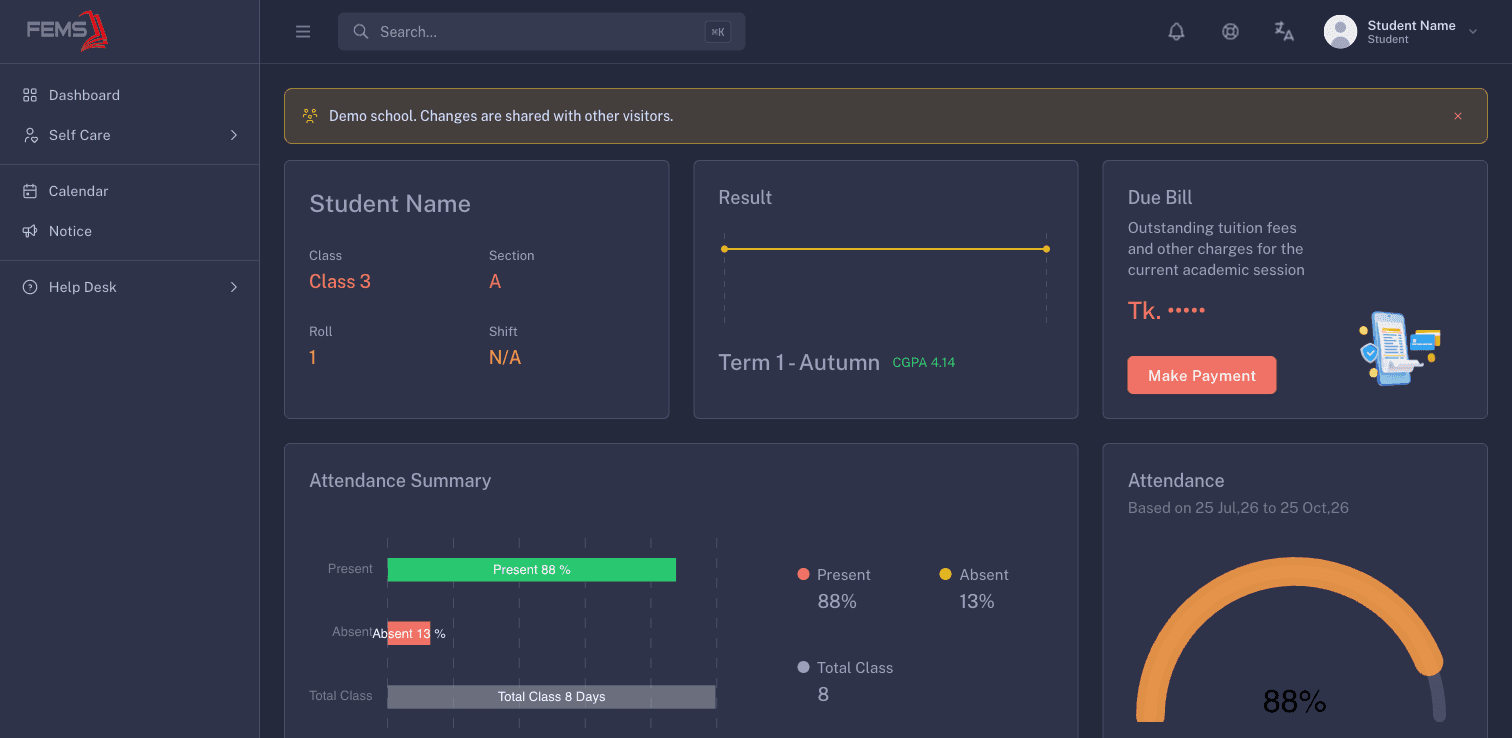
Use your student account to check your own attendance, classwork, exams, fees, notices, and requests. Your account normally opens your own student record.
I am a guardian
Use your guardian account to check the children linked to you. Select the correct child before you open attendance, results, fees, or a school request.
Choose a guide
- Manage multiple children
- Check attendance
- Apply for leave
- View classwork and learning
- View exams and report cards
- View fees and make a payment
- Request school services
Frequently asked questions
Why do I see fewer menu items than this guide shows?
Your institution may not use every portal feature. Ask the school office if a page you need is missing.
Can a guardian see every student at the institution?
No. A guardian can use only the student records linked to their account.
Can I correct marks, attendance, or fees myself?
No. Contact the responsible teacher or school office when a school record looks wrong.