Student applications
Review student requests, read the submitted details, and choose whether to deny, recommend, or approve each request.
Student Application is the review queue for leave, exam, transfer certificate, and other requests linked to students.
Prerequisites
You need Student Application access. Decision buttons may depend on your assigned access.
Working the queue
Go to Student > Student Application. The page opens on Student Application List.
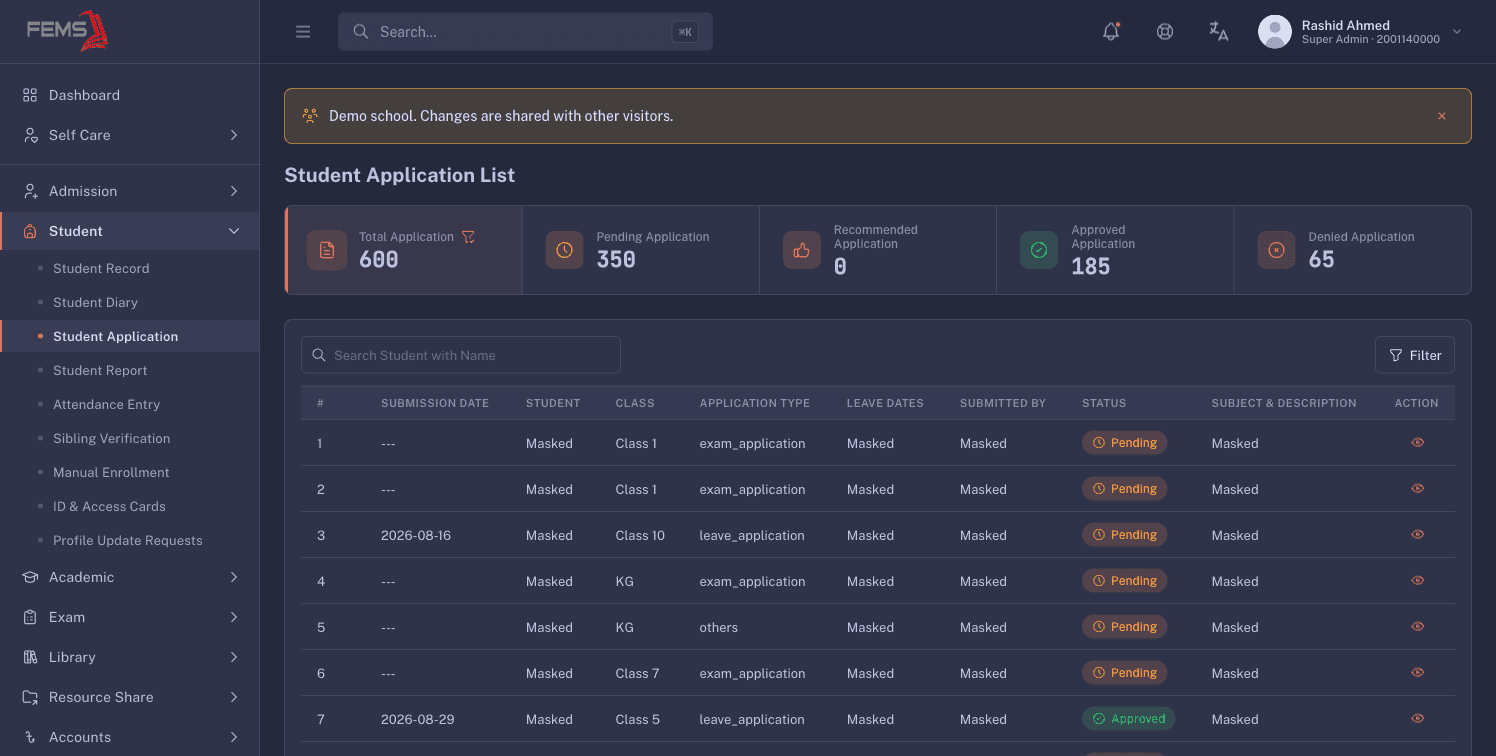
The counters show:
- Total Application
- Pending Application
- Recommended Application
- Approved Application
- Denied Application
Use Filter to narrow the list. Each row shows Submission Date, Student, Class, Application Type, Leave Dates, Submitted By, Status, and Subject & Description.
Reading and deciding a request
Click View on a row. The drawer shows the student, current status, dates, submitter, submission date, and description.
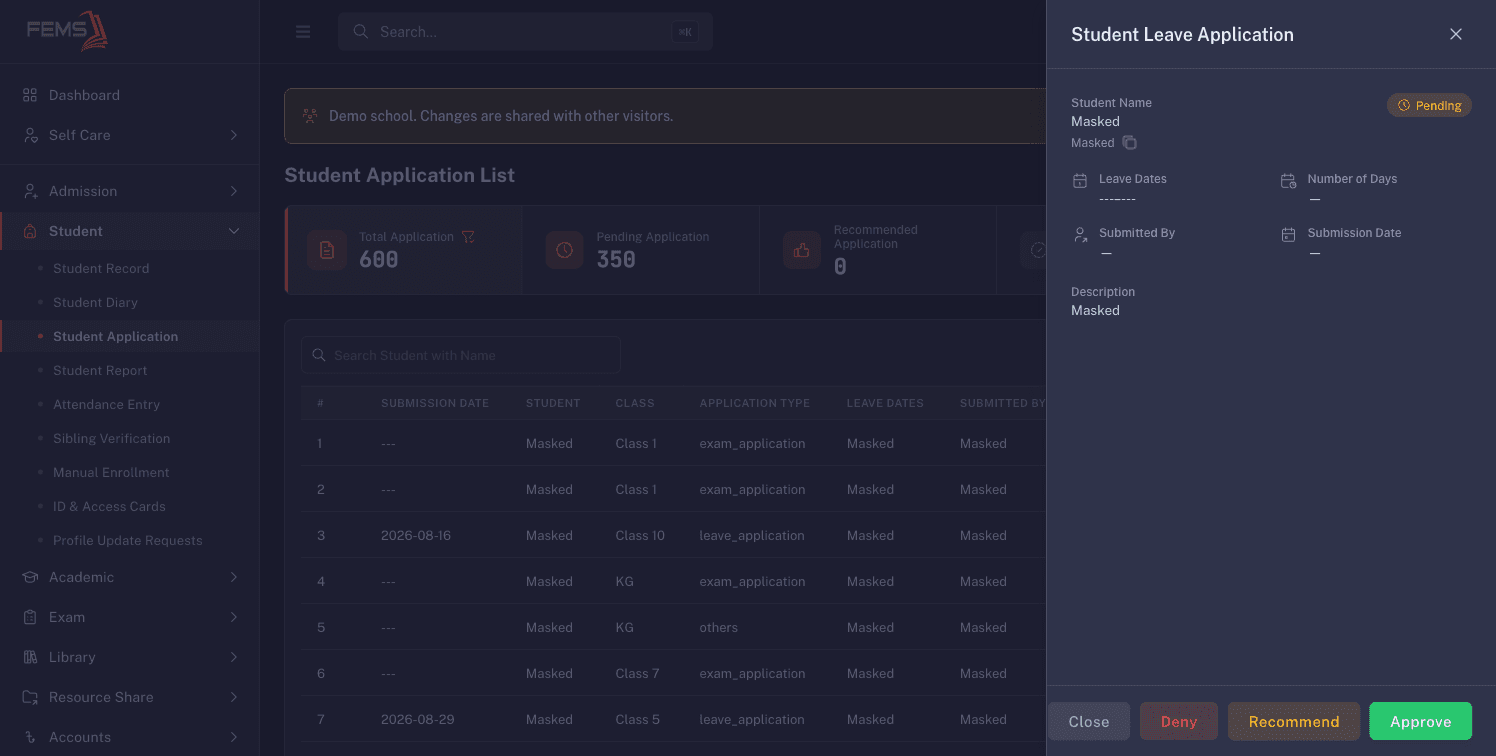
Pending requests show these actions in the drawer:
- Deny
- Recommend
- Approve
Read the full request before choosing. These actions change a student's request, so this guide does not test them on the shared demo.
FAQ
Where do I see requests waiting for a decision? Use the Pending Application counter, then filter the list if needed.
What does Recommended mean? It is a separate queue state between pending and a final decision. The live drawer includes a Recommend action.
Can I decide several requests at once? No bulk action is visible. Open and review requests one at a time.
Does approval update attendance or produce a certificate? This was not verified on the shared demo. Complete any related attendance or certificate work through your institution's approved process.