How the library module works
What the library tracks, the loan and fine rules FEMS applies for you, and which screen does which job.
The library module holds your school's book collection and lends it to students and employees. This page explains the words the screens use, the loan and fine rules FEMS applies for you, and which screen does which job.
Prerequisites
Any librarian who can sign in to FEMS can read this page. What you can actually do in the module depends on the access an admin gives you, and issuing, returning, and renewing are three separate accesses. Setting up the catalogue and the reference lists needs its own access again.
Before the first loan
Set up the four reference lists first: Setting up classifications, item types, series, and genres. Then catalogue each title and add its physical copies. Each copy needs its own barcode before a librarian can issue it.
When the collection is ready, follow How to issue and return a library book for the full desk sequence.
The four things the library tracks
| Term | What it means |
|---|---|
| Catalogue record | A title. One row per book edition. It carries no barcode. |
| Copy | The physical book on the shelf. It has its own barcode and price, and it is the thing you loan. The screens call a copy an item. |
| Patron | A borrower. FEMS builds the patron list from your student and employee records. |
| Circulation | One issue transaction. A single circulation can hold several copies for the same patron. |
You catalogue a title once. After that you add one copy for each physical book you put on the shelf. Two copies of the same edition share one catalogue record and get one barcode each.
What the sidebar holds
| Sidebar item | What it is for |
|---|---|
| Circulation | The issue desk. Issue, return, and renew copies here. |
| Catalogue | The book list. Add and edit titles and their copies. |
| Reports | Five reports: Circulation Report, Catalogue Report, Patrons Report, Overdue Report, Summary Report. |
| Reference | Four lists that fill the catalogue dropdowns: Classification, Item Types, Series, Genres. |
Some screens have no sidebar entry of their own. Library > Circulation carries two links: Overdue opens the overdue list, and Patrons opens the Patrons Report. A patron's own record opens from report rows. The patrons list at /library/patrons is linked from nowhere, so you reach it only by typing the address.
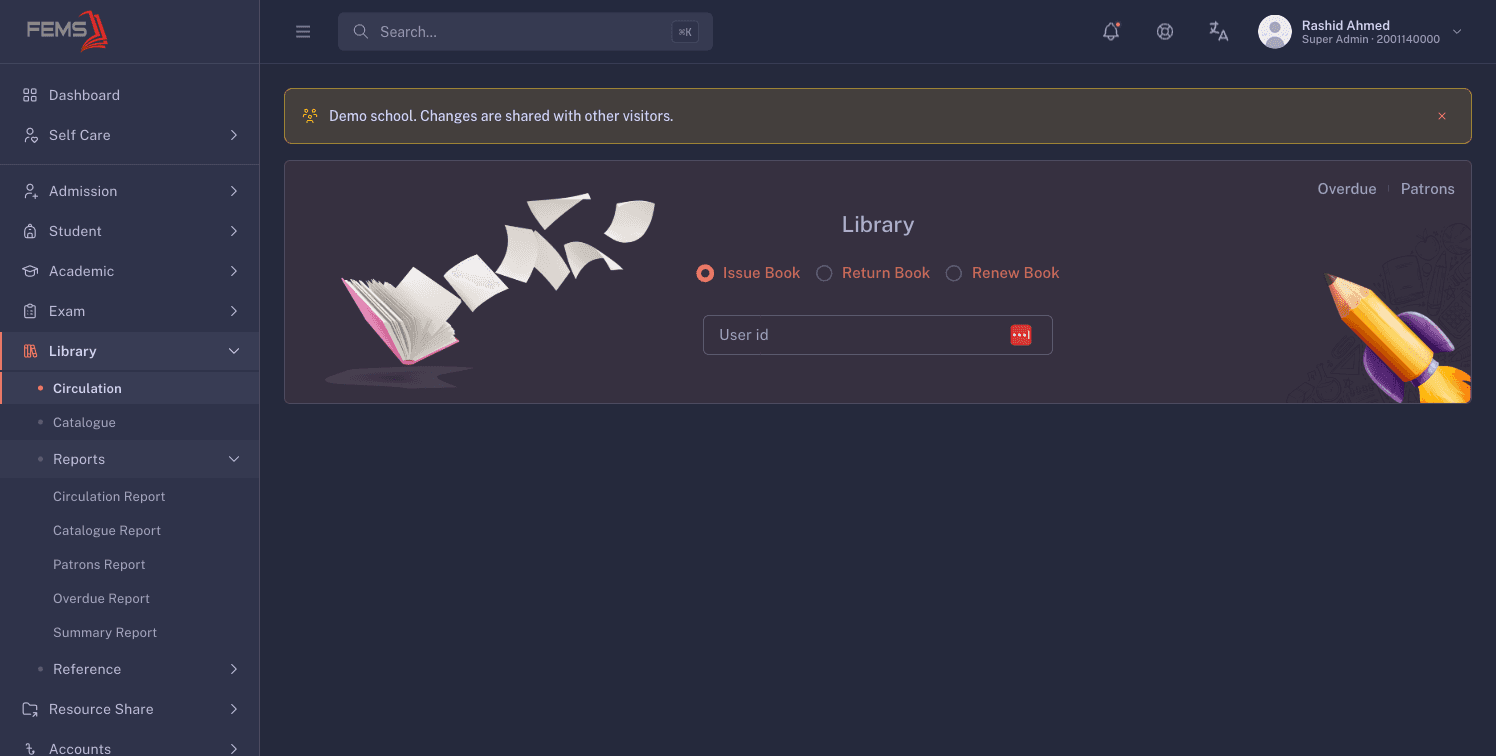
The Reports and Reference groups behave like an accordion: opening one closes the other.
Loan rules the system applies for you
FEMS works out the due date for you. You never type it.
- The loan period is 4 working days, counted from the day you issue the copy.
- Friday and Saturday are the weekend and are skipped in that count. A fresh issue's due date never lands on a Friday or a Saturday.
- A copy can be renewed up to 5 times. The renew screen shows Renewals Left so you can check before you confirm.
- A renewal adds 4 plain calendar days to the current due date. Weekends are not skipped on a renewal, so a renewed due date can land on a Friday or a Saturday.
- Only a copy whose status is Available can be issued. A copy that is already on loan, damaged, or lost stays out of the basket.
- There is no limit on how many books one patron may borrow at once. If a class needs a borrowing cap, the librarian applies it by hand.
FEMS has no reservation, hold, or waitlist. A student who wants a copy that is out has to come back when it is returned.
How overdue fines are worked out
A fine is worked out at the moment you process the return, not while the book is out.
- Nothing is owed until the due date passes.
- Lateness is counted in working days. Friday and Saturday do not count, so a copy due Thursday and brought back on the Friday is zero working days late and costs nothing.
- Past that, the fine is 20 BDT for every 3 working days late, rounded up to the next whole block. One working day late costs 20 BDT. Three working days late also costs 20 BDT. Five working days late costs 40 BDT.
- Once a copy is more than 15 calendar days late, the fine becomes that copy's own price instead of the ladder amount.
- You can add an Additional Fine for damage when you take the return.
- Forgive Fine cuts an overdue fine only when you take the return from the patron's record. On the Circulation screen it can only reduce an Additional Fine you typed yourself, so it will not touch what the patron owes for lateness.
Be plain with parents about what happens next. FEMS records the fine against the loan, and there it stops. There is no fine collection screen, and the Accounts module does not bill it. Schools take the money and record it outside FEMS. A processed return cannot be undone from the library screens either, so read the Fine Summary before you confirm.
Who can do what
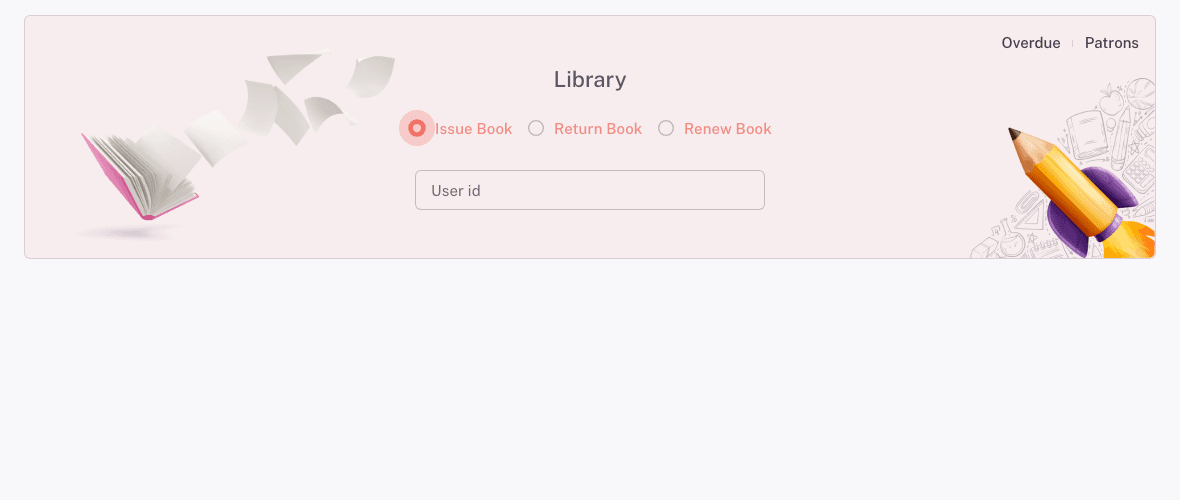
Access is granted per action, not per screen. On Library > Circulation, the Issue Book, Return Book, and Renew Book choices each show up only for a librarian who holds that one access. A librarian can hold all three, or only returns.
Cataloguing and reference editing are separate accesses again. If a screen opens but its Add or Edit button is missing, that is an access question for your admin, not a fault in the screen.
Troubleshooting
The due date is not 4 days from today
The count skips Friday and Saturday, and it never stops on one. A Tuesday issue is due the following Monday, not Saturday. Count working days when you check it, and read the Due Date column on the issue table as the answer.
A copy will not go into the issue basket
Only a copy marked Available can be issued. The copy is most likely on loan to someone else, or it was returned as damaged or lost. The book's own page will not tell you which, because it shows all three as Not Available. Open the Catalogue Report instead: its Status column separates Available, On Loan, Damaged, and Lost.
A parent has paid a fine and you cannot mark it paid
FEMS records the fine but has no screen for collecting it. Take the payment the way your school takes any other cash, record it in your own register, and tell the parent the library screen keeps the original amount.
FAQ
What is the difference between a book and a copy? A book is the title you catalogue once. A copy is one physical volume of it, with its own barcode and price. You issue copies, never titles.
Do I create a library account for each student? No. Every student and employee record is already a patron. There is no library membership, no card number, and no expiry date to renew.
Can a parent or an old student borrow a book? No. Patrons are students and employees only. Guardians and alumni cannot borrow.
How many books can one student borrow at once? As many as you issue. FEMS applies no borrowing limit, so any cap is one your school enforces at the desk.
Can a student pay a fine in FEMS? No. FEMS records the fine and stops there. Your school collects and records the money outside FEMS.
Why is the fine 20 BDT when the book is only one day late? The fine moves in blocks of 3 working days, and a part block counts as a whole one. Working day 1 and working day 3 both sit in the first block. A book brought back a day late over the weekend is a different case: Friday and Saturday are not working days, so that return is not late at all and costs nothing.