Viewing transport reports
Choose filters for fuel and vehicle-maintenance reports before opening a PDF.
Transport has separate report forms for fuel use and vehicle maintenance. Use the filters to narrow the period and vehicle before opening the report.
Prerequisites
You need access to Transport > Report. Fuel and maintenance records must exist for the period you want to review.
View the fuel report form
Open Transport > Report > Fuel report.
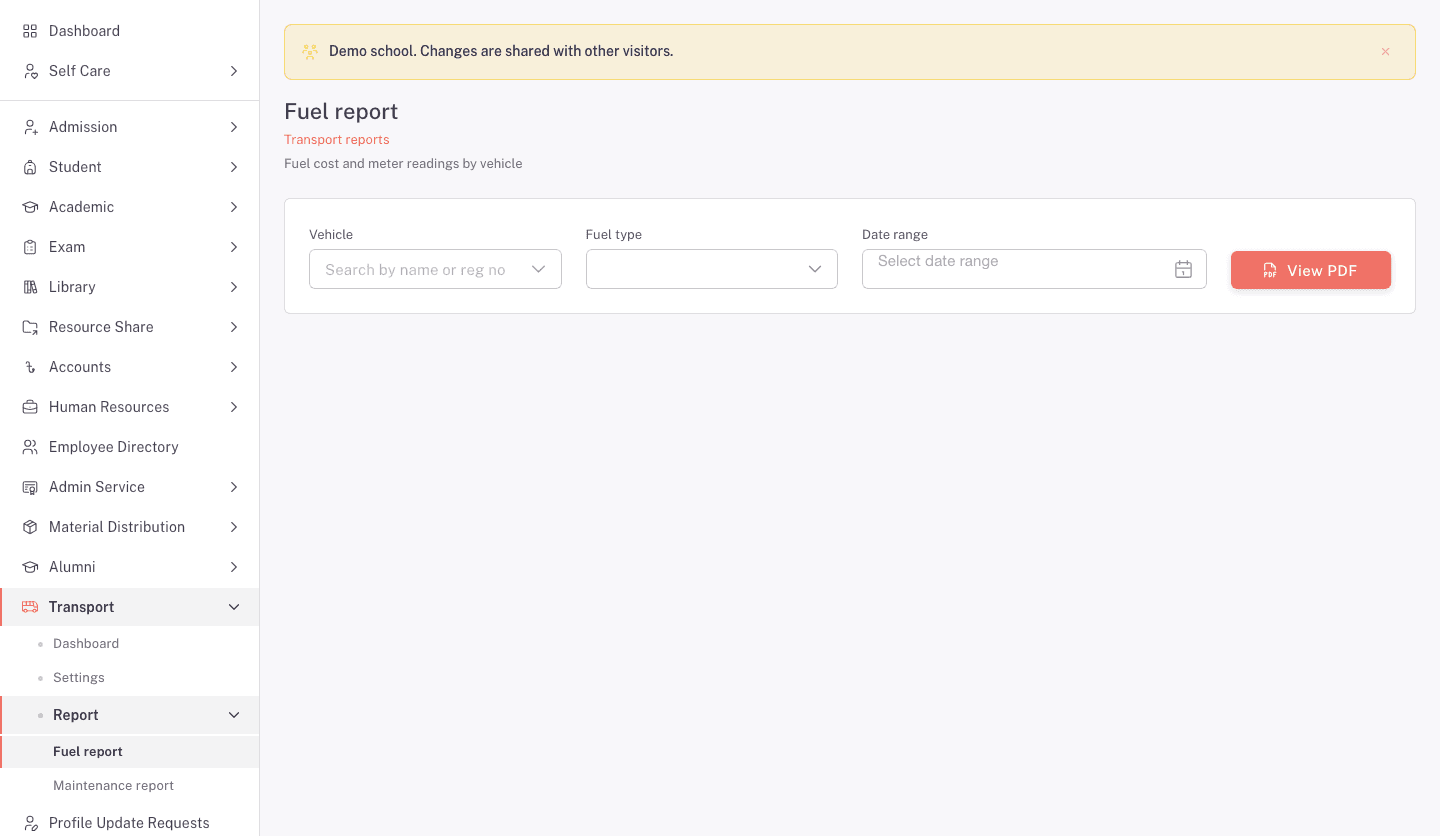
- Choose a Vehicle when you need to narrow the report.
- Choose a Fuel type when you need to narrow the report.
- Choose a Date range when you need to narrow the report.
- Click View PDF.
The form describes this report as fuel cost and meter readings by vehicle.
View the maintenance report form
Open Transport > Report > Maintenance report.
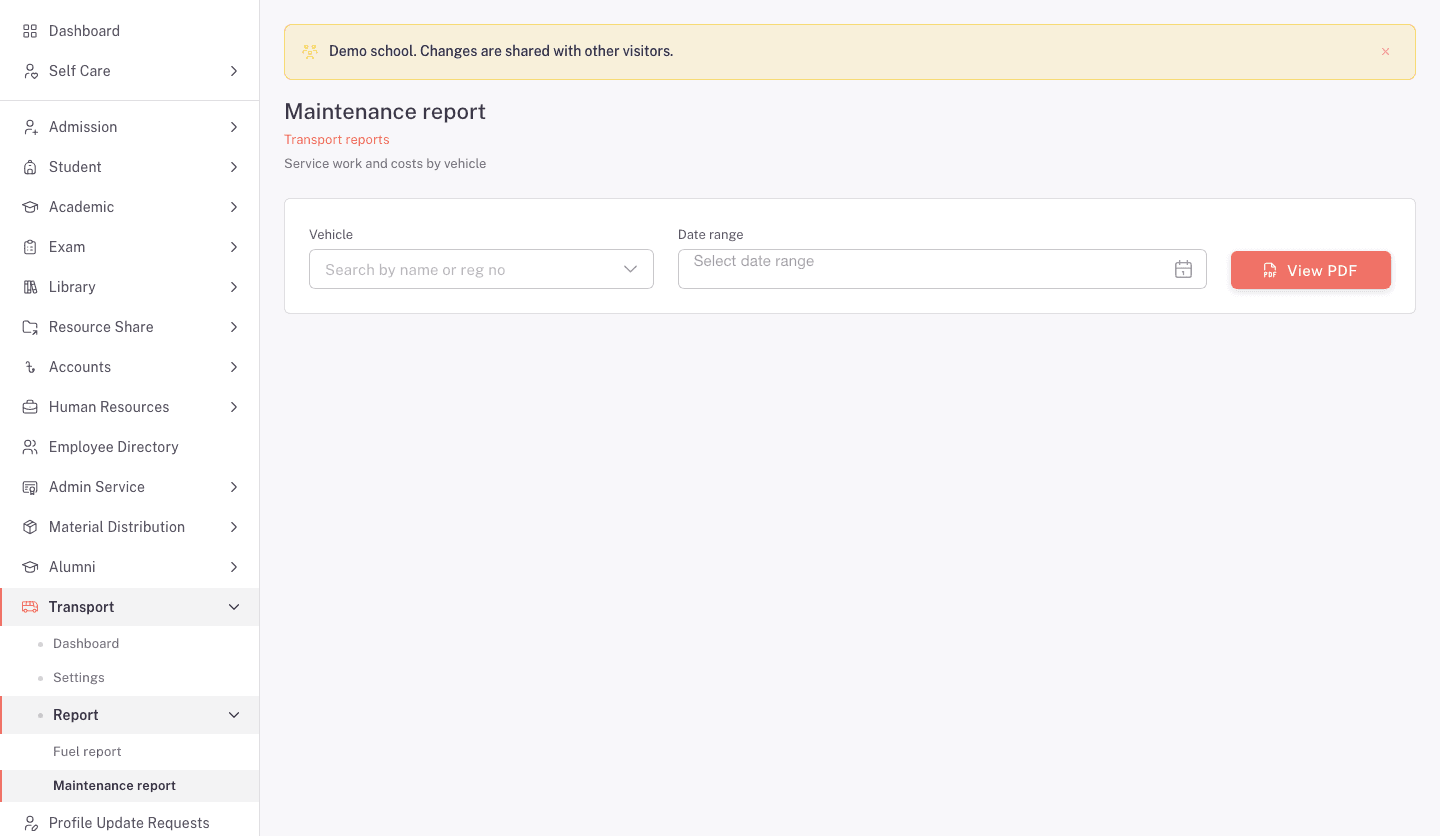
- Choose a Vehicle when you need to narrow the report.
- Choose a Date range when you need to narrow the report.
- Click View PDF.
The form describes this report as service work and costs by vehicle.
FAQ
Which report shows meter readings? Use Fuel report. Its form covers fuel cost and meter readings by vehicle.
Which report shows repair costs? Use Maintenance report. Its form covers service work and costs by vehicle.
Can I narrow the fuel report by fuel type? Yes. The Fuel report has a Fuel type filter. The Maintenance report does not.
Why is my report empty? Check the vehicle and date range against the records in Fuel Management or Vehicle Management.