Recording fuel and maintenance
Record daily fuel use and keep each vehicle's service work and costs together.
Use Fuel Management for daily fuel and meter readings. Use Vehicle Management for repairs, parts, and other service work.
Prerequisites
You need Transport access. Vehicles must already exist. Add outside workshops or suppliers under Transport > Settings > Vendors before using them in a maintenance entry.
Record daily fuel
Open Transport, then Dashboard. Choose Fuel Management.
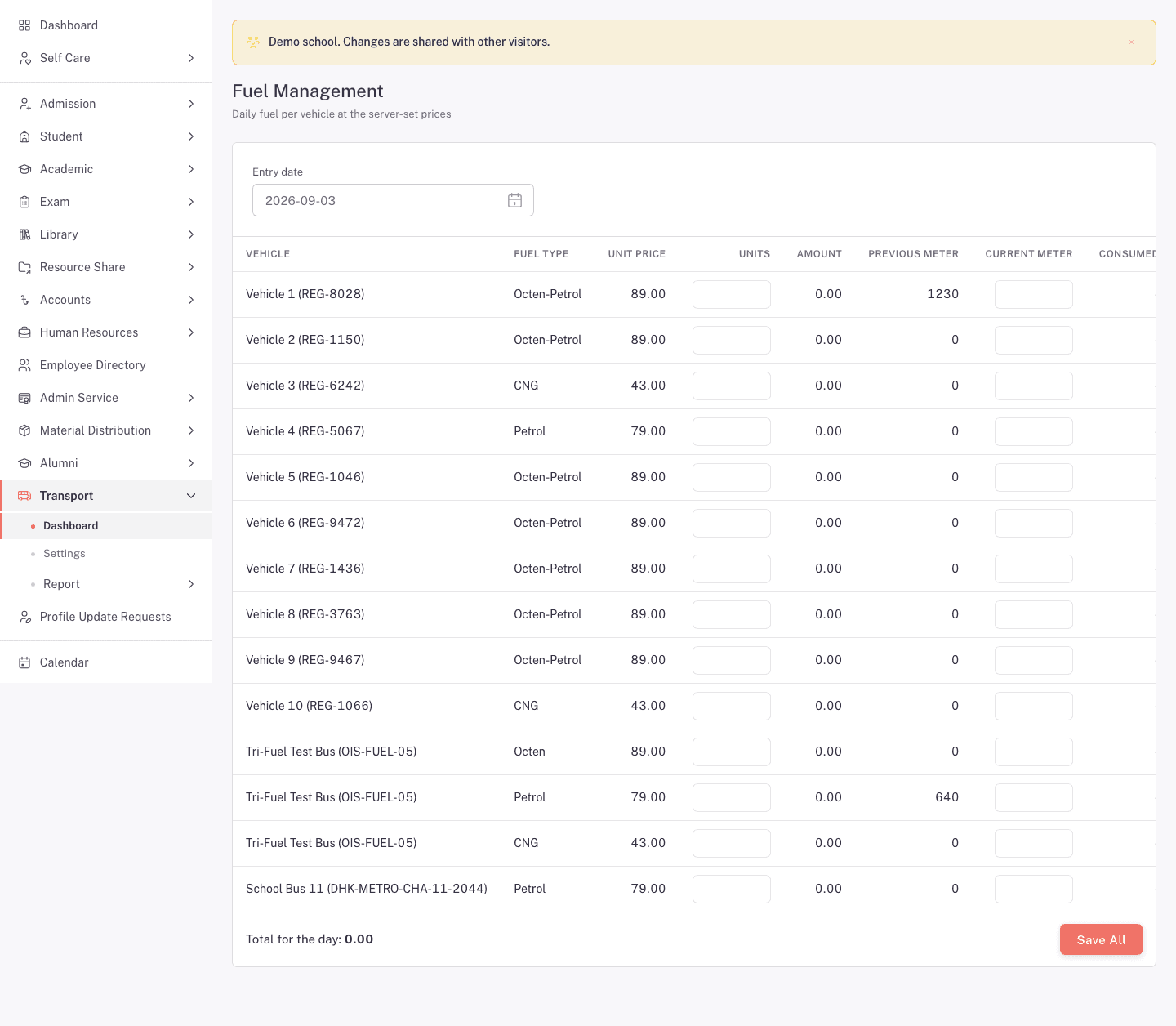
- Choose the Entry date.
- Find the vehicle and Fuel type.
- Enter Units and the Current meter reading.
- Read the shown Amount, Consumed value, and Total for the day.
- Check every changed row, then click Save all.
The page shows the unit price and previous meter reading supplied by FEMS. Check that you are entering fuel against the correct vehicle and fuel type.
Record vehicle maintenance
Open Transport, then Dashboard. Choose Vehicle Management.
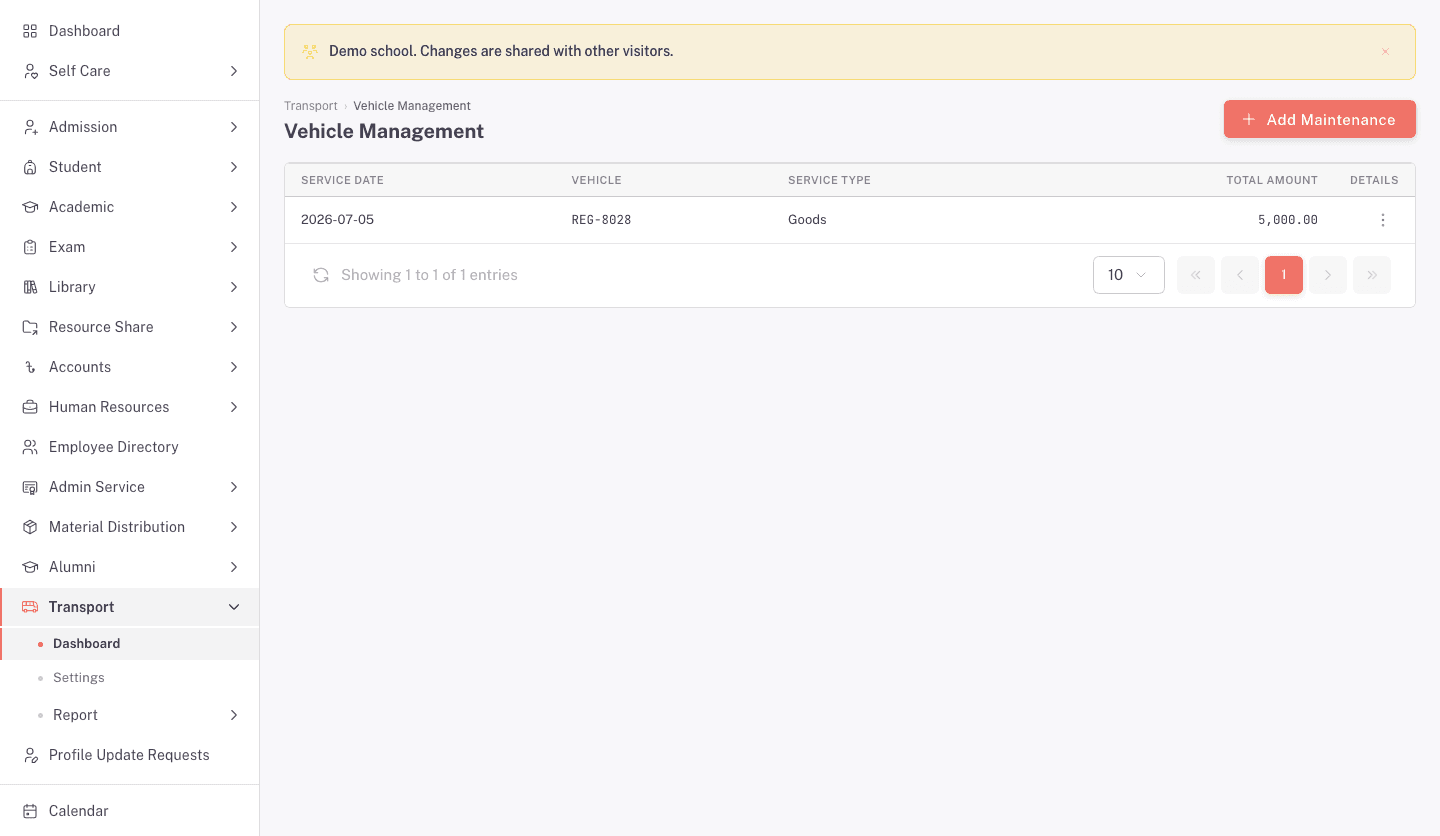
The list shows each entry's Service date, Vehicle, Service type, and Total amount. Open the row menu to view or edit an entry.
Add a maintenance entry
Click Add maintenance.
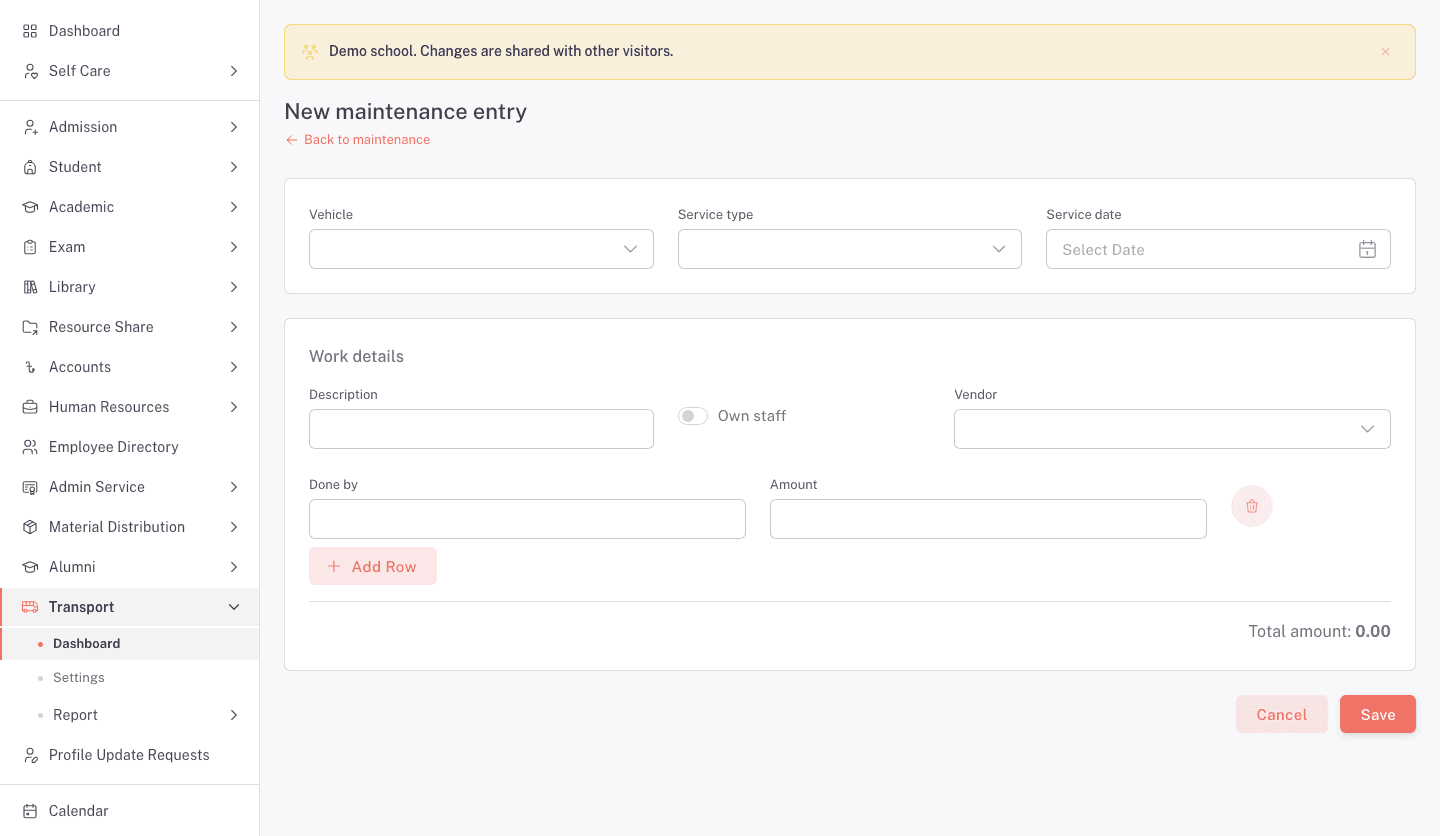
- Choose the Vehicle, Service type, and Service date.
- Enter a Description for the first work row.
- Turn on Own staff for work done inside the school. Otherwise choose a Vendor.
- Enter Done by and Amount.
- Click Add row for another job.
- Check the Total amount, then click Save.
Read a maintenance record
Choose View from a row menu.
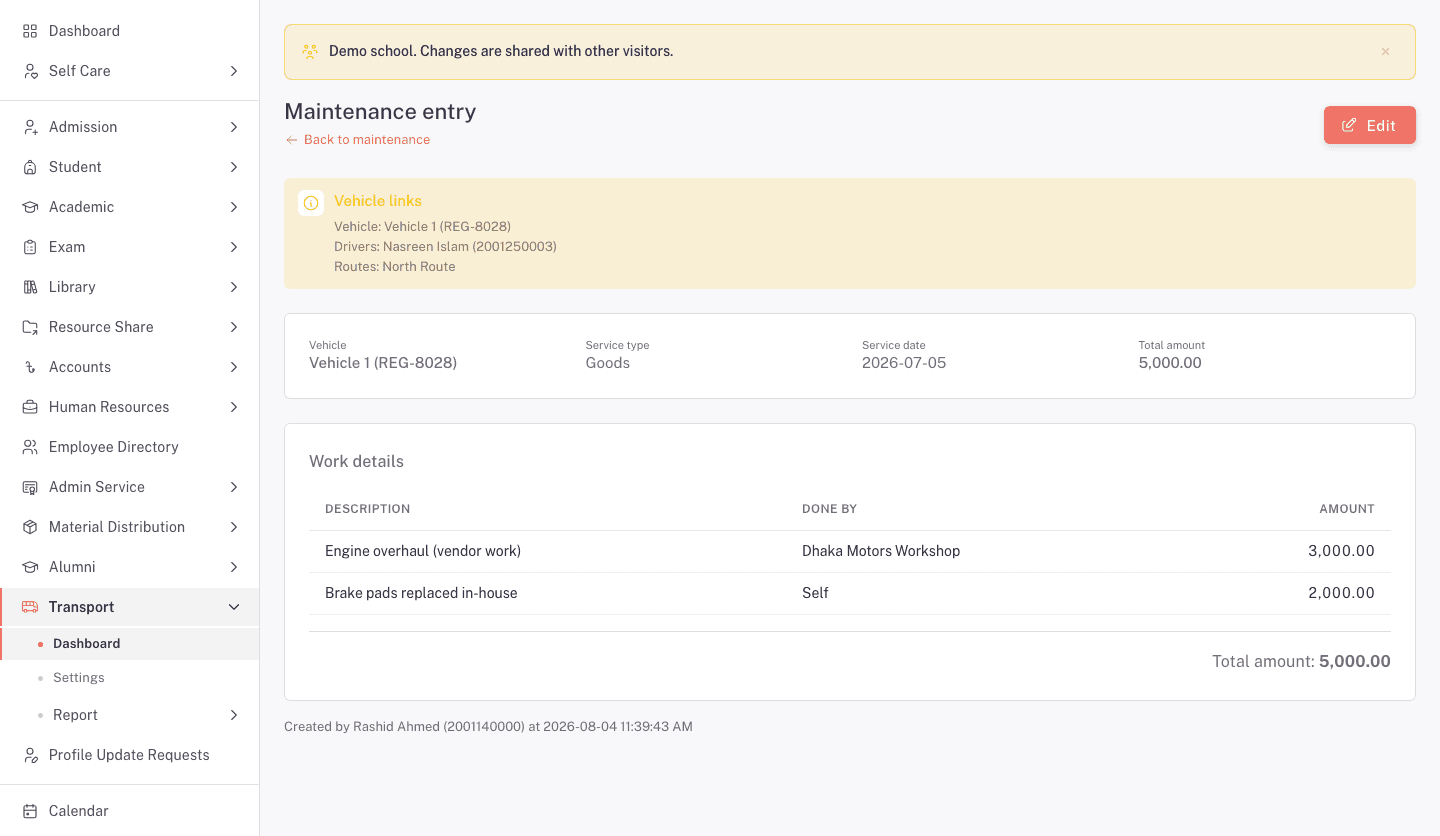
The detail page shows the linked vehicle, drivers, and routes. It also lists each job, who did it, the amount, the total, and who created the record. Click Edit when the saved details need correction.
FAQ
Where does the fuel price come from? Fuel Management shows the unit price supplied by FEMS for each fuel type.
Why does one vehicle appear more than once? A vehicle can have a separate row for each fuel type.
When should I turn on Own staff? Turn it on when school employees did the work. Leave it off when you need to choose an outside vendor.
Can one maintenance entry contain several jobs? Yes. Click Add row for each job. Check the combined total before saving.