Running syllabus and book reports
Pull the syllabus for a class and subject, the version parents see, and the class book lists.
The Report screen turns what you entered in Manage Syllabus and Book Management into something you can read, print, and hand out. Four reports sit behind four tabs.
Prerequisites
You need Academic Report access. The reports read from the syllabus and the book lists, so if those are empty the reports will be too.
The four reports
In the sidebar, open Academic then Report.
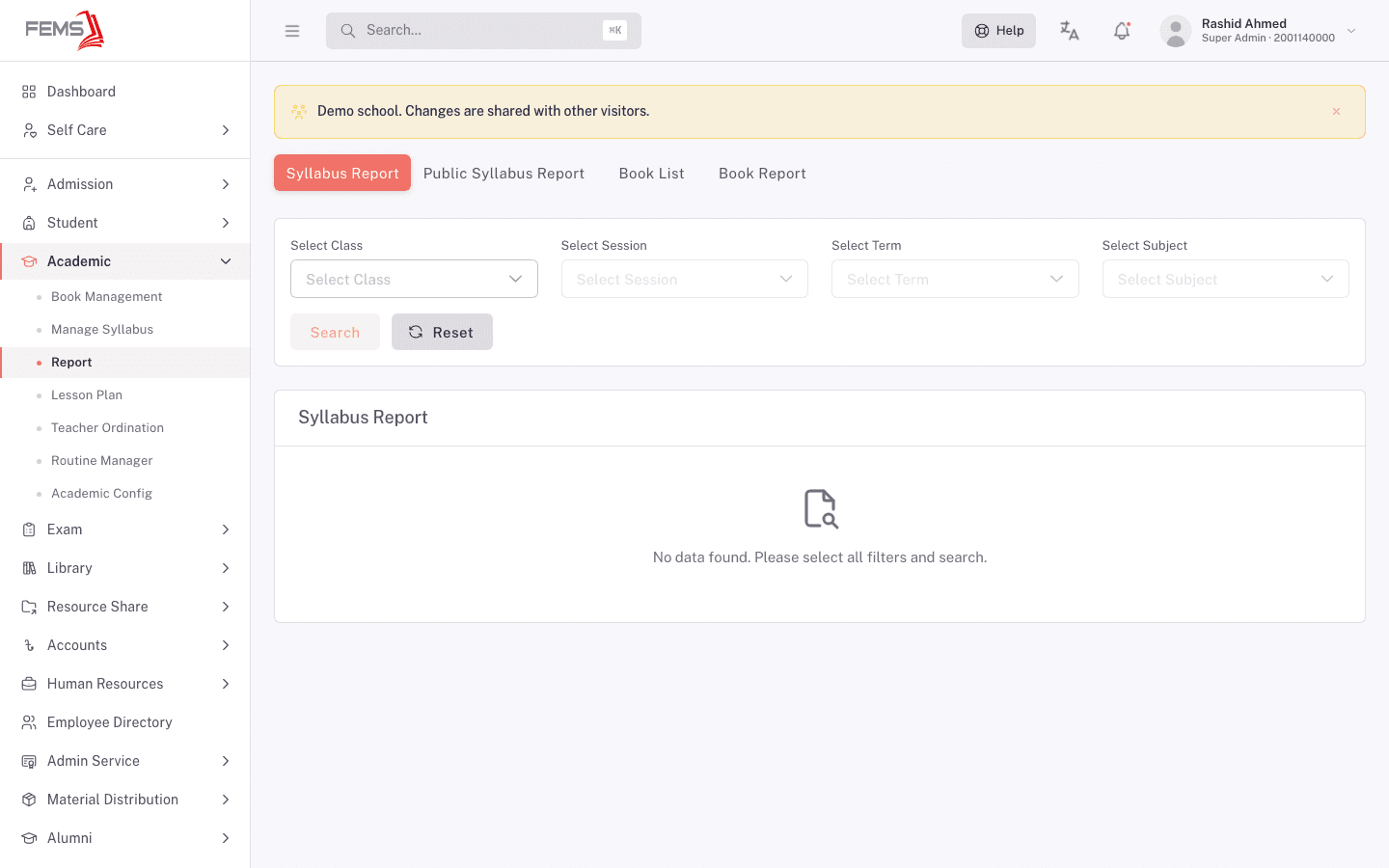
| Tab | What it gives you | Filters |
|---|---|---|
| Syllabus Report | The full syllabus for one class, session, term, and subject, Cambridge and school side by side. | Class, Session, Term, Subject |
| Public Syllabus Report | The version meant for students and parents. | Class, Session, Term, Subject |
| Book List | The books assigned to a class for a session. | Session, Class |
| Book Report | Book information for a class and subject. | Session, Class, Subject |
Every tab works the same way: set the filters, click Search. Reset clears them. Each tab remembers its place in the address bar, so /academic/syllabus-report?tab=book-list opens straight to the book list.
Until you've searched, each tab shows an empty state naming what it still needs. Syllabus Report reads No data found. Please select all filters and search. Book List reads No data found. Please select class and session.
Read the syllabus report
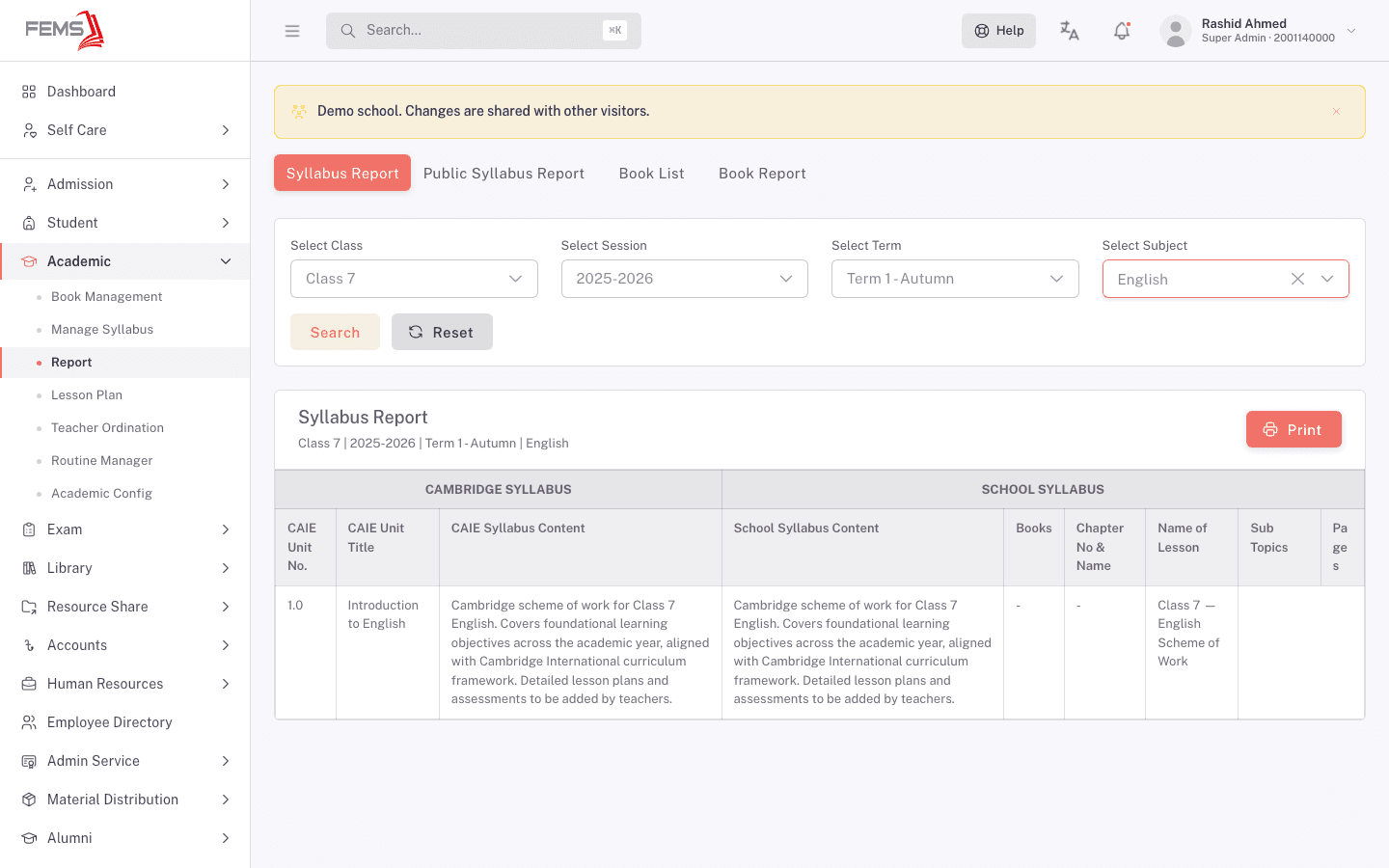
The result is split into two column groups. Cambridge Syllabus holds CAIE Unit No., CAIE Unit Title, and CAIE Syllabus Content. School Syllabus holds School Syllabus Content, Books, Chapter No & Name, Name of Lesson, Sub Topics, and Pages.
A header line above the table repeats what you filtered on, so a printed copy says which class and term it belongs to. Print produces that copy.
Blank cells mean nothing was entered for that field. A dash under Books means the syllabus entry has no book reference attached, which is worth fixing back in Manage Syllabus if students need to know what to buy.
Read the book list
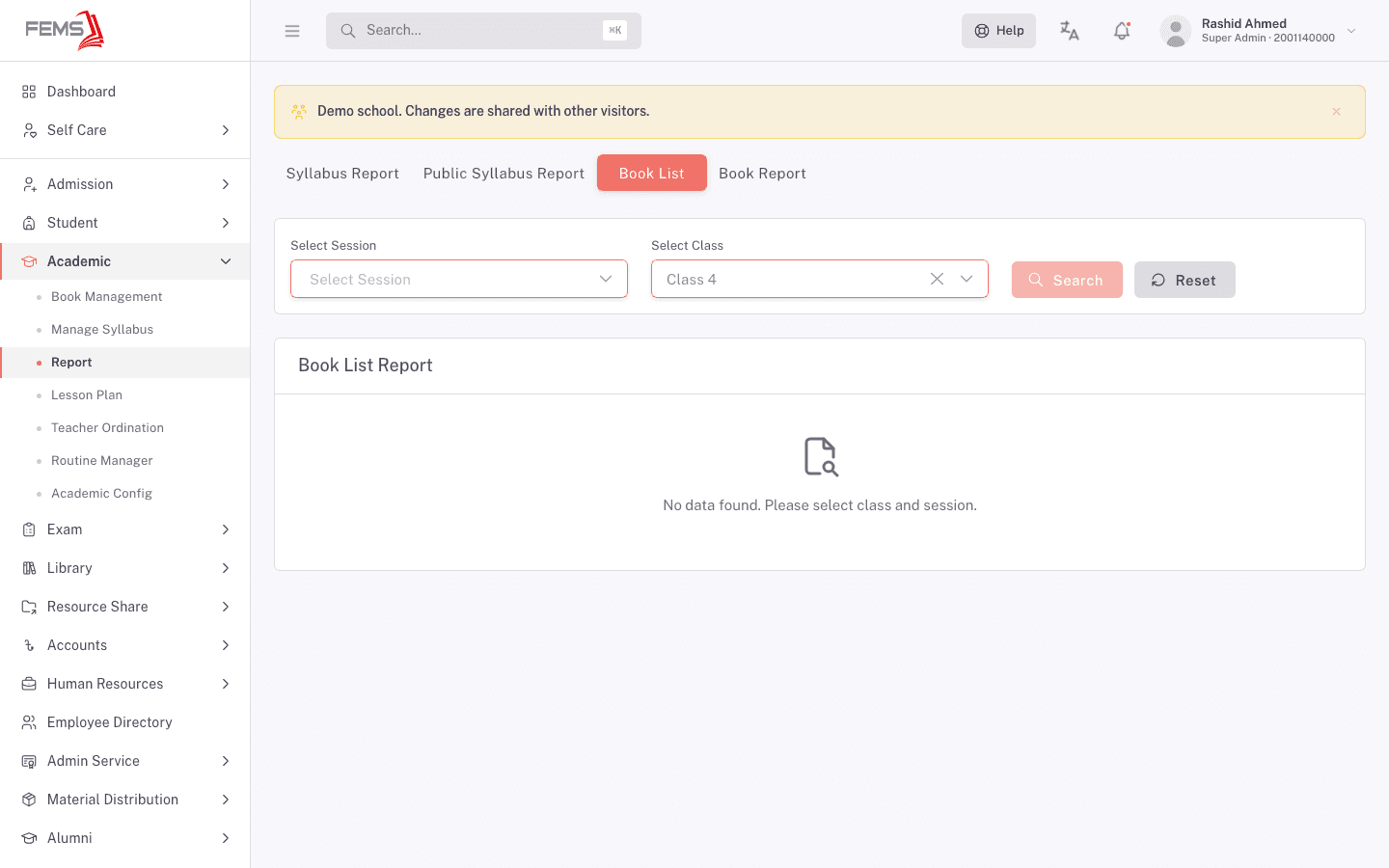
Book List takes a Session and a Class and returns the books assigned to that class. This is the report to run when parents ask what their child needs for the year.
An empty result usually means the class book list hasn't been filled in for that session yet, rather than that the report is broken.
FAQ
What's the difference between Syllabus Report and Public Syllabus Report? The first is the internal view for staff. The second is the version meant for students and parents.
My report is empty. Two things to check. First, fill in every filter the tab offers; each one narrows the result, and a blank dropdown will hold the report back. Second, check the underlying data: an empty book list report usually means the class book list hasn't been set up for that session.
Can I print these? Yes. Print appears alongside the result. The printed copy carries the filters you set: class, session, term, and subject for the syllabus reports, and class and session for the book list.
Why are Books and Pages blank on my syllabus report? Those columns come from the book reference on the syllabus entry. If none was attached, they stay empty.
Can I bookmark a report? The tab is in the address, so a bookmark opens the right tab. You still set the filters each time.