Managing books and class book lists
Catalogue books and their editions, then assign them to a class and subject as compulsory, optional, or reference.
Book Management does two jobs. The catalogue records every book your school uses, edition by edition. The class book list says which of them a particular class studies for a particular subject. The syllabus and the book reports both read from these.
Prerequisites
You need Book Management access. To assign books to a class, that class and its subjects need to exist in Academic Config.
The three tabs
In the sidebar, open Academic then Book Management. There are three tabs: Book Entry, Class Wise Book, and Archieved Books.
Catalogue a book
Book Entry is the catalogue.
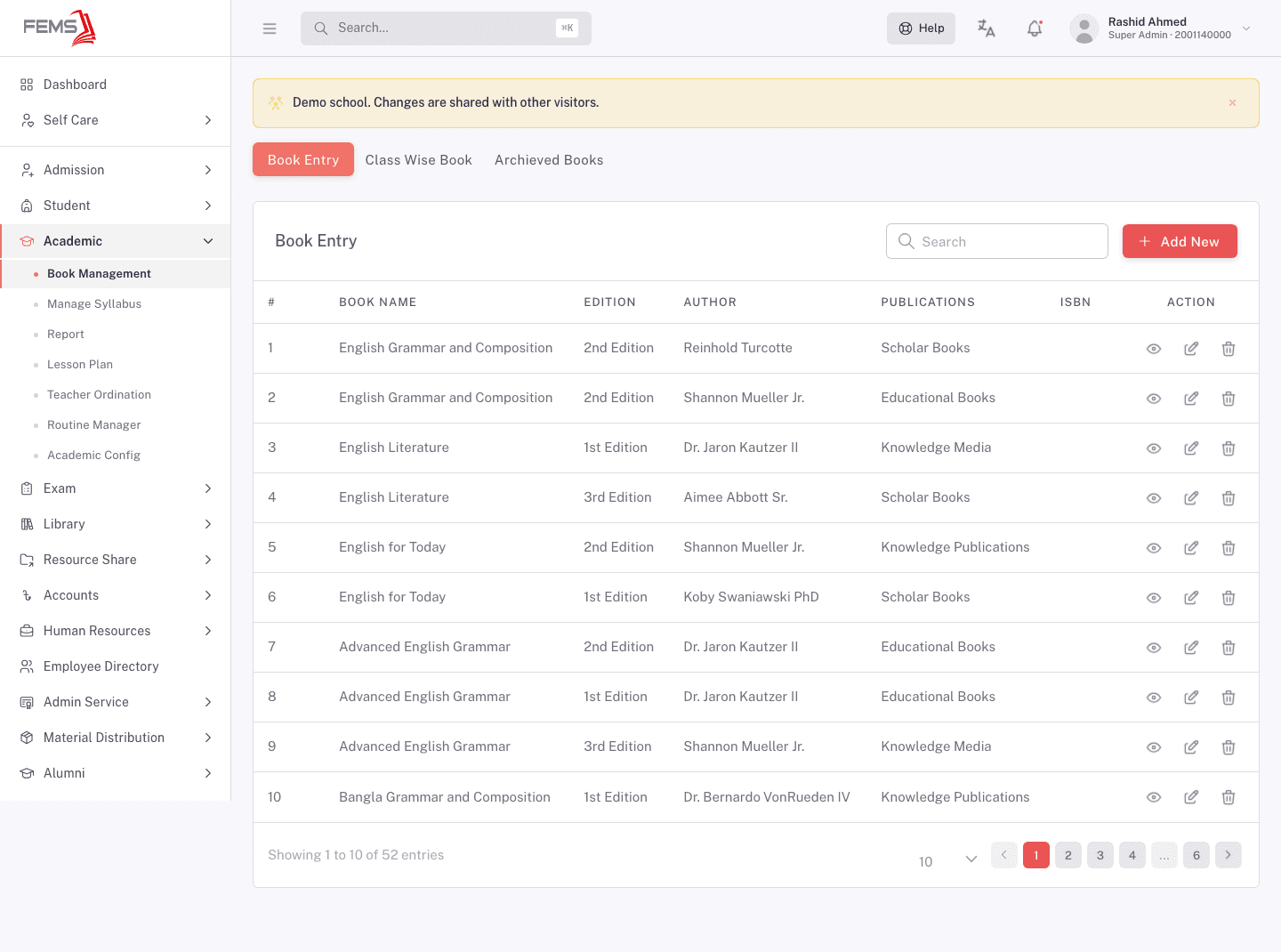
Each row is one edition of one book, with Book Name, Edition, Author, Publications, and ISBN. The same title appears more than once when you hold several editions, which is deliberate: a class book list points at a specific edition, not just a title.
Use Add New to enter a book. Catalogue it here before you try to attach it to a class or reference it from a syllabus entry.
Assign books to a class
Class Wise Book is the per-class list.
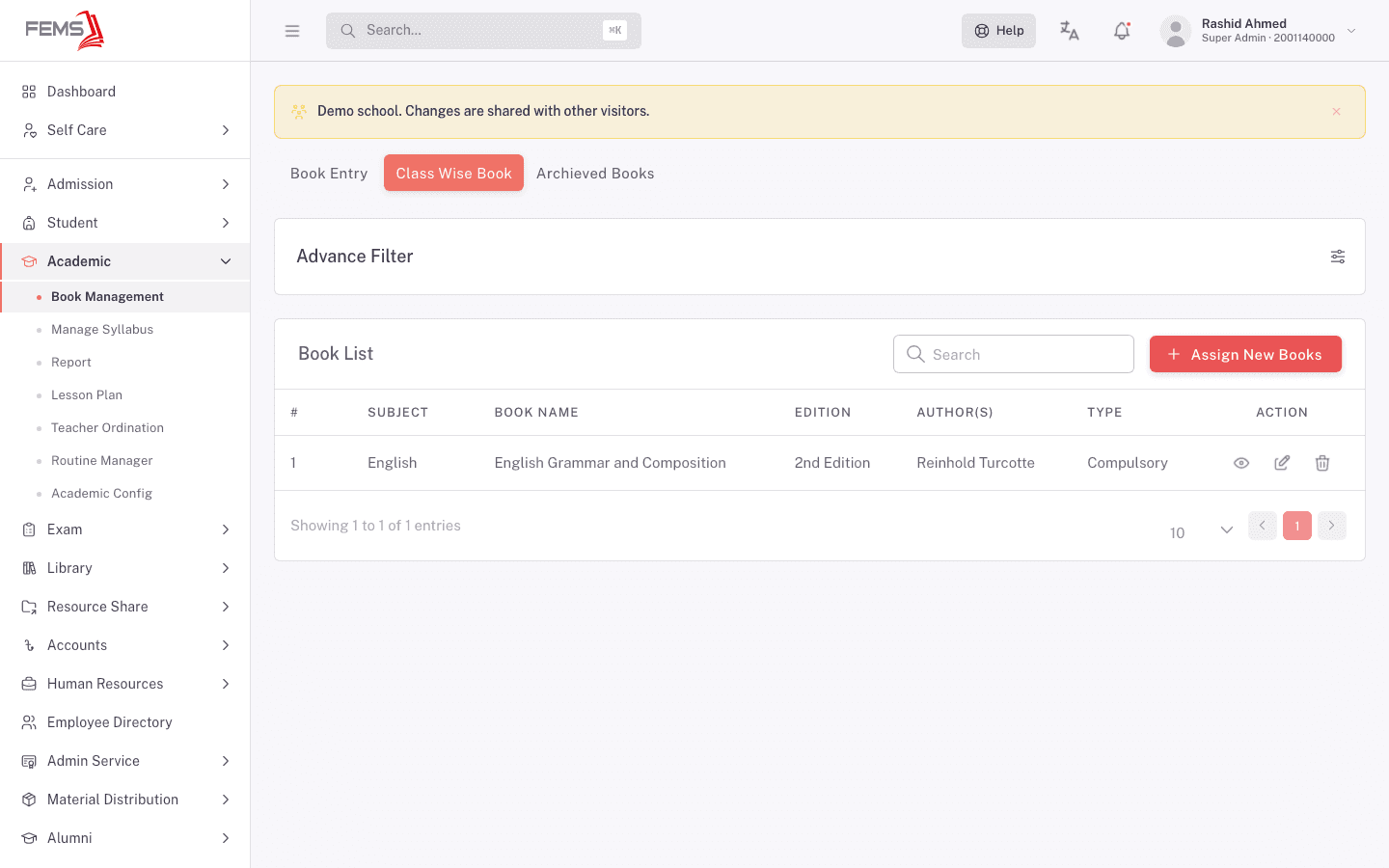
The Book List shows Subject, Book Name, Edition, Author(s), and Type, with view, edit, and delete actions on each row. Use Advance Filter to narrow it and the search box to find a title.
Click Assign New Books to add to the list.
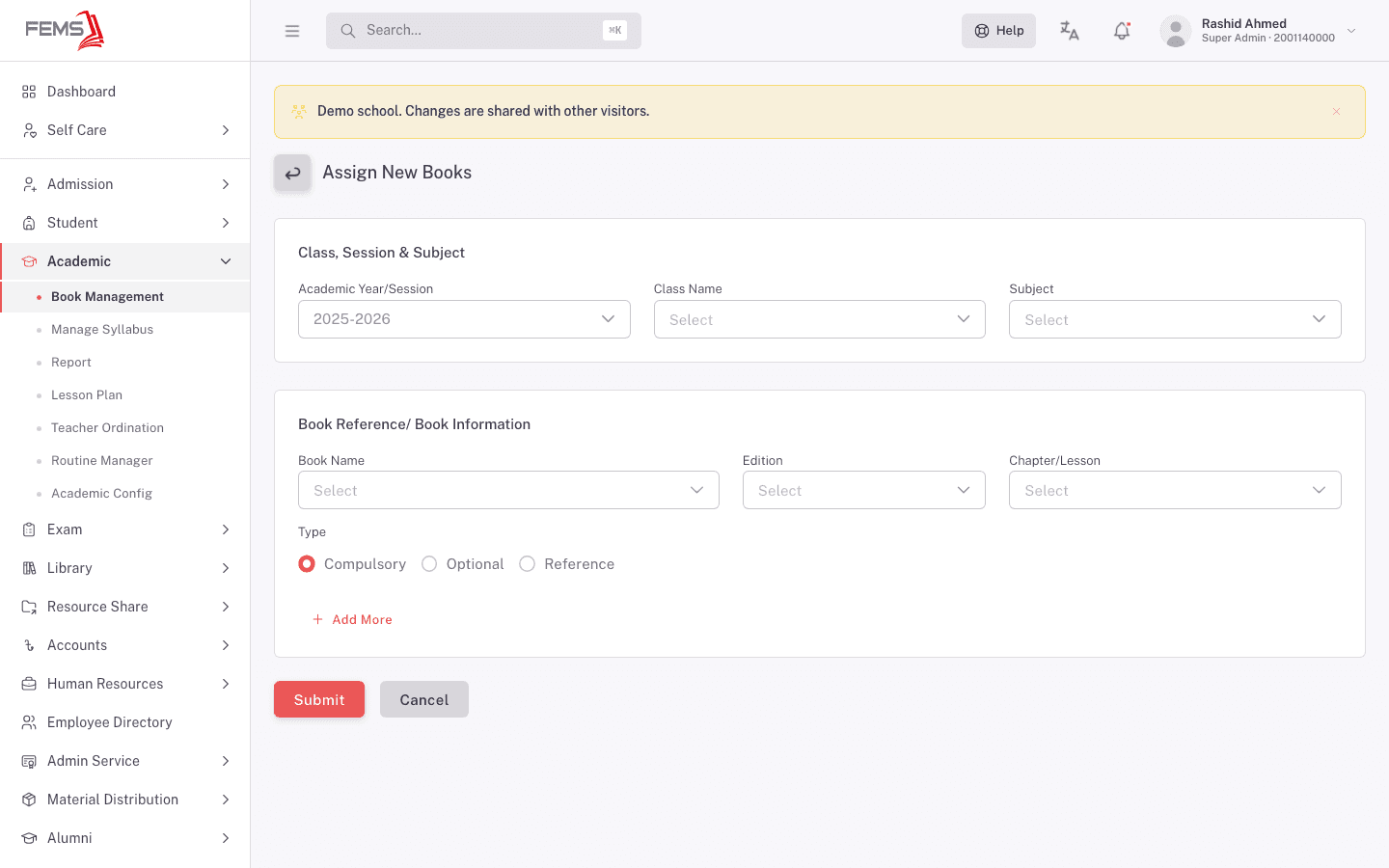
Under Class, Session & Subject, pick the Academic Year/Session, Class Name, and Subject. Under Book Reference/ Book Information, pick the Book Name, then its Edition, then the Chapter/Lesson, and set the Type:
| Type | Use it for |
|---|---|
| Compulsory | Every student in the class needs this book. |
| Optional | Only some students need it, usually for an optional subject. |
| Reference | Supporting reading rather than a set text. |
Use Add More to assign several books in one go, then Submit.
An assignment belongs to a class, subject, and session together. The same book assigned to two classes is two separate entries.
Retire a book
The third tab, Archieved Books, holds books taken out of circulation. It carries the same columns as the catalogue: Book Name, Edition, Author, Publications, ISBN, and an action.
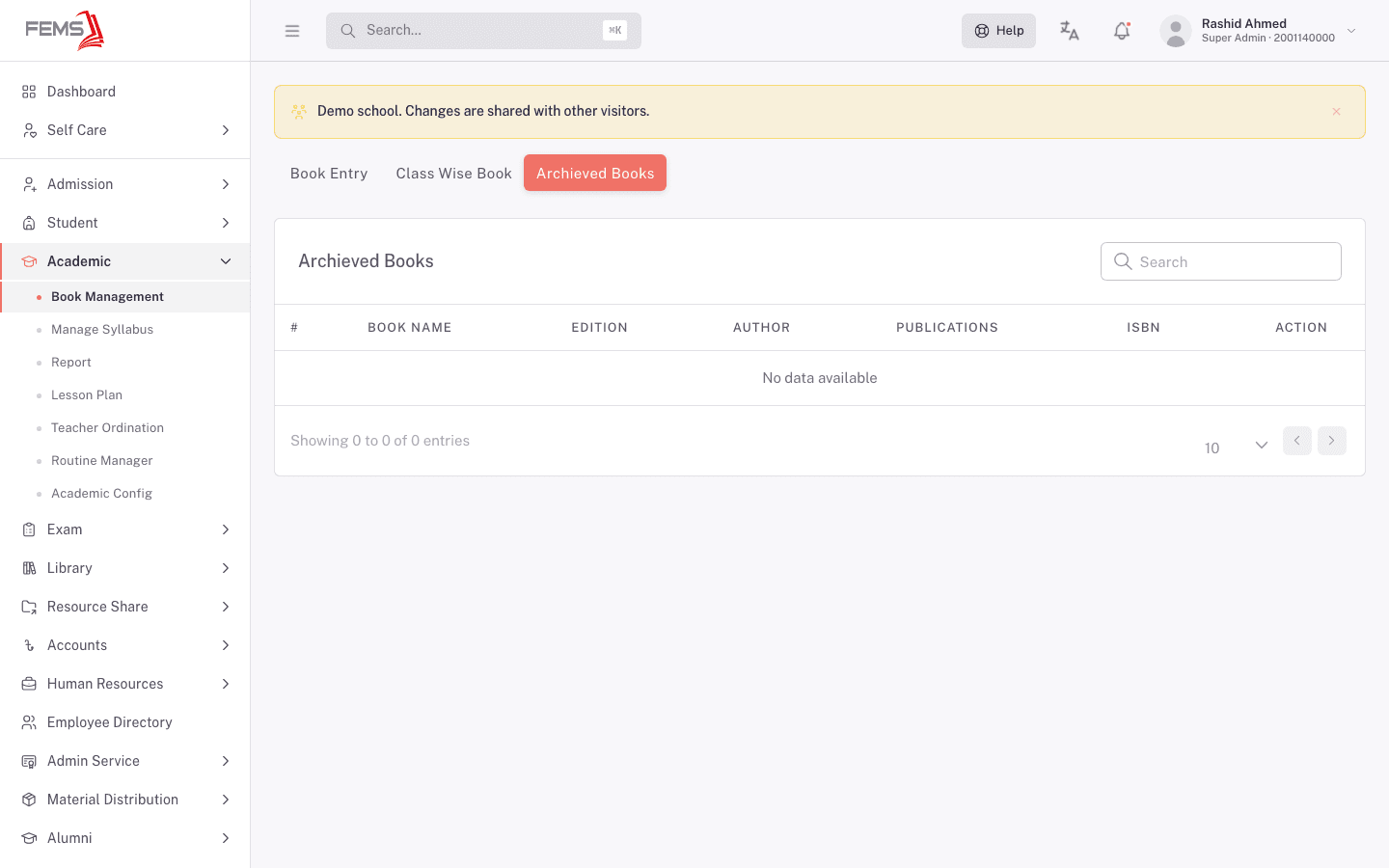
The demo school has none, so the tab reads No data available.
At the start of a new year
Book assignments belong to a session, so a new academic year begins with an empty class book list. This is a common cause of an empty book dropdown for a new year, including in the syllabus, where book references read from this list.
FAQ
Why is the same book listed several times in Book Entry? Each row is one edition. Class book lists point at a specific edition, so each one is catalogued separately.
What's the difference between this and the Library module? Book Management is the academic book list: which titles a class studies for a subject. The Library module handles physical copies, issuing, and returns.
A book doesn't appear when I try to assign it. Catalogue it in Book Entry first, including the edition you want.
What is the Archieved Books tab for? Books taken out of circulation. They stay listed there rather than disappearing, so past sessions that referenced them still read correctly.
Our new year's class book list is empty. That's expected. Book assignments belong to a session, so a new session starts with none. Ask your FEMS administrator how your school brings last year's list across, because there's no screen in the console for it.