Checking a fee payment before collection
Find the right student and complete the safety checks before a counter payment is submitted.
Use this guide to find the correct student and complete the checks before any payment is submitted.
Prerequisites
You need access to Accounts > Student > Payment Collections. The student's fees and payment cycle must already be set up. Have the payer's school record and the amount they are paying.
1. Find the student
- Go to Accounts > Student > Payment Collections.
- Enter the student's name or ID in Search Students by Name or ID.
- Select the matching student only after you compare the result with the payer's record.
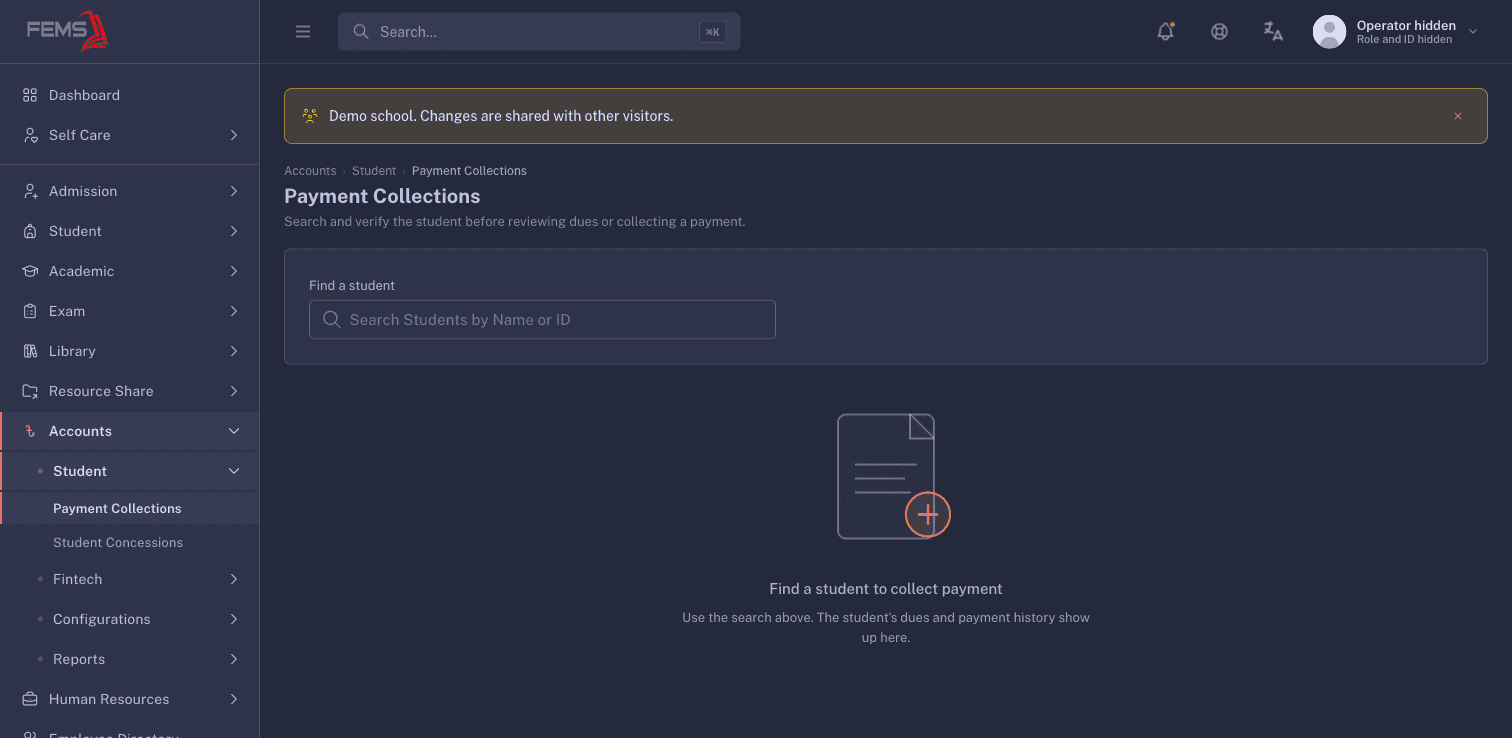
Do not choose a student by name alone when two records look similar.
2. Review before taking money
When a matching student is available, stop and check:
- The student is the person named by the payer.
- The amount matches what the payer is handing over.
- The selected fee lines match what the payer intends to pay.
- The payment method and reference match the school's record.
If any detail differs, cancel the collection and ask the accountant to check the account.
3. Check the receipt and ledger
Treat the collection as complete only when you can find the transaction again. Check the receipt amount, payment reference, and student. Then open Accounts > Reports > Student Ledger and find the matching receipt or transaction.
Do not hand over proof of payment when the screen result is unclear. Keep the payer with you and ask an authorised accountant to check the transaction.
Online payment
Students and guardians use Payments in the student panel. If the page shows No child is selected, stop and ask the school office to link the correct student record before continuing.
FAQ
The student search returns nothing. What should I do? Check the spelling or student ID. If the record still does not appear, ask the school administrator to check the student's active enrolment and fee setup.
When can I give the payer a receipt? After the transaction is confirmed and you can find it again with the same student, amount, and reference.
What if I collected against the wrong student? Do not create another payment to offset it. Keep the reference and ask an authorised accountant to use the approved correction process.