Collecting fee payments at the counter or online
Find the correct student, review the payment safely, and know what to verify before issuing a receipt.
Use Payment Collections for school-office collections. Students and guardians use the Payments page for online payment when the school has enabled it.
Prerequisites
Counter collectors need access to Accounts > Student > Payment Collections. Before taking money, confirm that fee setup and billing are complete and that the student has a due.
For an online payment, the student or guardian must have a child selected in the student panel. The school must also have online payments available.
Find the student at the counter
- Go to Accounts > Student > Payment Collections.
- Use Search Students by Name or ID.
- Select the matching student only after checking the school record with the payer.
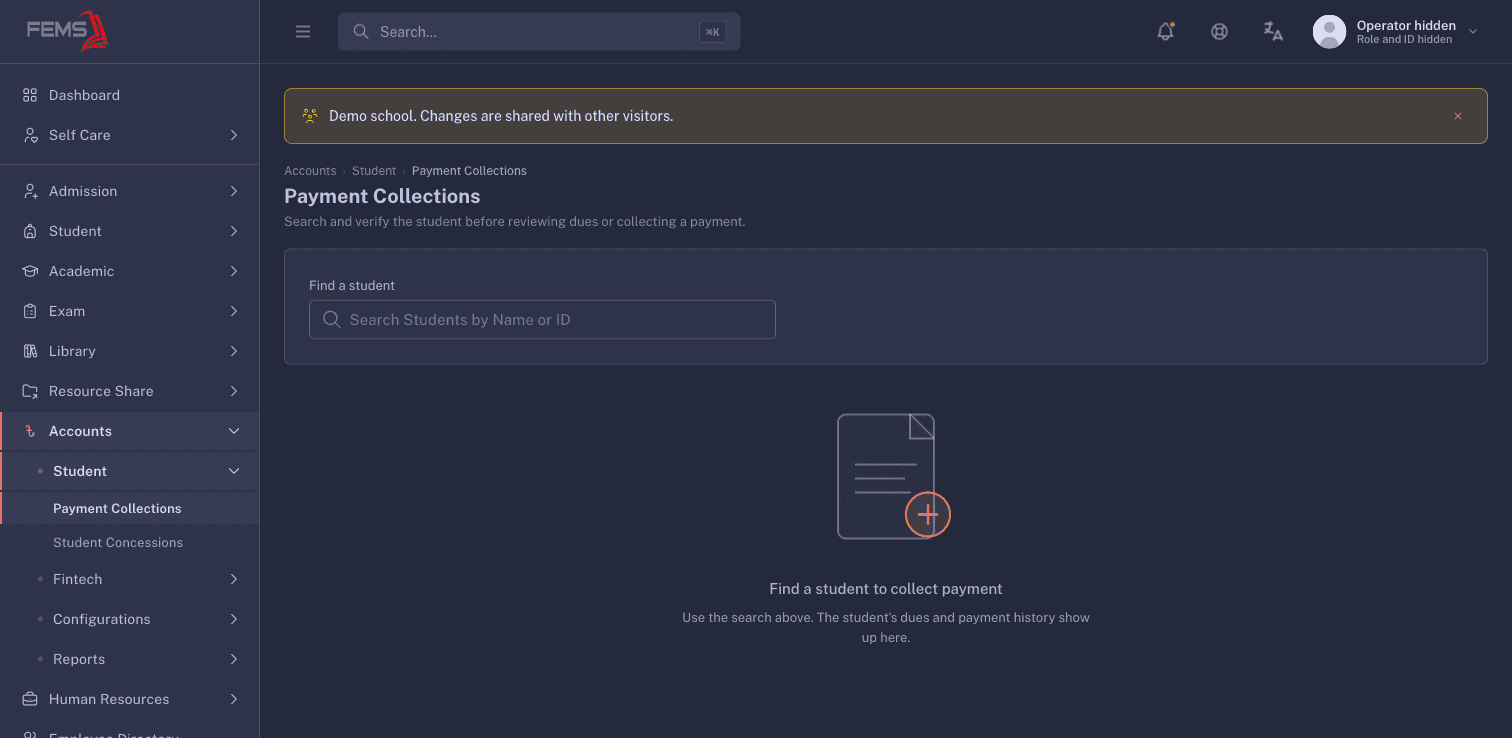
Do not take money until FEMS shows the selected student and payment controls. If no matching student appears, stop and ask the school administrator to check the record.
Check before collecting
Use the school's normal payment-control checklist before you take money:
- Match the student to the payer's record. Do not rely on a similar name.
- Read the amount back to the payer.
- Check which fee lines the payment covers.
- Record the payment method and reference required by the school.
- Stop if the screen total differs from the amount being handed over.
Do not treat a click as proof of payment. Give the payer a receipt only after FEMS confirms the collection and you can find the transaction again.
Online payment
The student-panel route is Payments. If it shows No child is selected, the due list and online checkout cannot load.
If that message appears, stop and ask the school office to link the correct student record. Do not start a payment for a different child.
If a collection needs correction
Do not collect the same amount again to cancel a mistake. Keep the receipt or reference number, stop further action, and ask an authorised accountant to check the transaction and reversal process.
FAQ
Why does the student search show no results? Check the spelling or student ID. If the record still does not appear, ask the school administrator to check the student's active enrollment and fee setup.
Can I collect before the student has a due? Do not take an advance unless the accountant confirms the school's approved advance-payment process.
When should I hand over the receipt? Only after the collection is confirmed and the transaction can be found again with the same student, amount, and reference.
The online page says no child is selected. What should I do? Stop and ask the school office to link the correct student record before continuing.