Understanding roles and permissions
A plain-language tour of roles, direct grants, and data-access scope.
FEMS controls who can see and do what through roles, permissions, and data scope. This page explains the model in plain language, and is honest about what's fully enforced today versus what's still catching up.
Prerequisites
Super Admin or Institution admin. You need the Role & Permission module's access to manage any of this yourself.
The building blocks
Roles. A role is a named bundle of permissions, like "Accountant" or "Teacher". Your school can use the built-in roles or create custom ones. Add a staff member to a role, and they get everything that role can do.
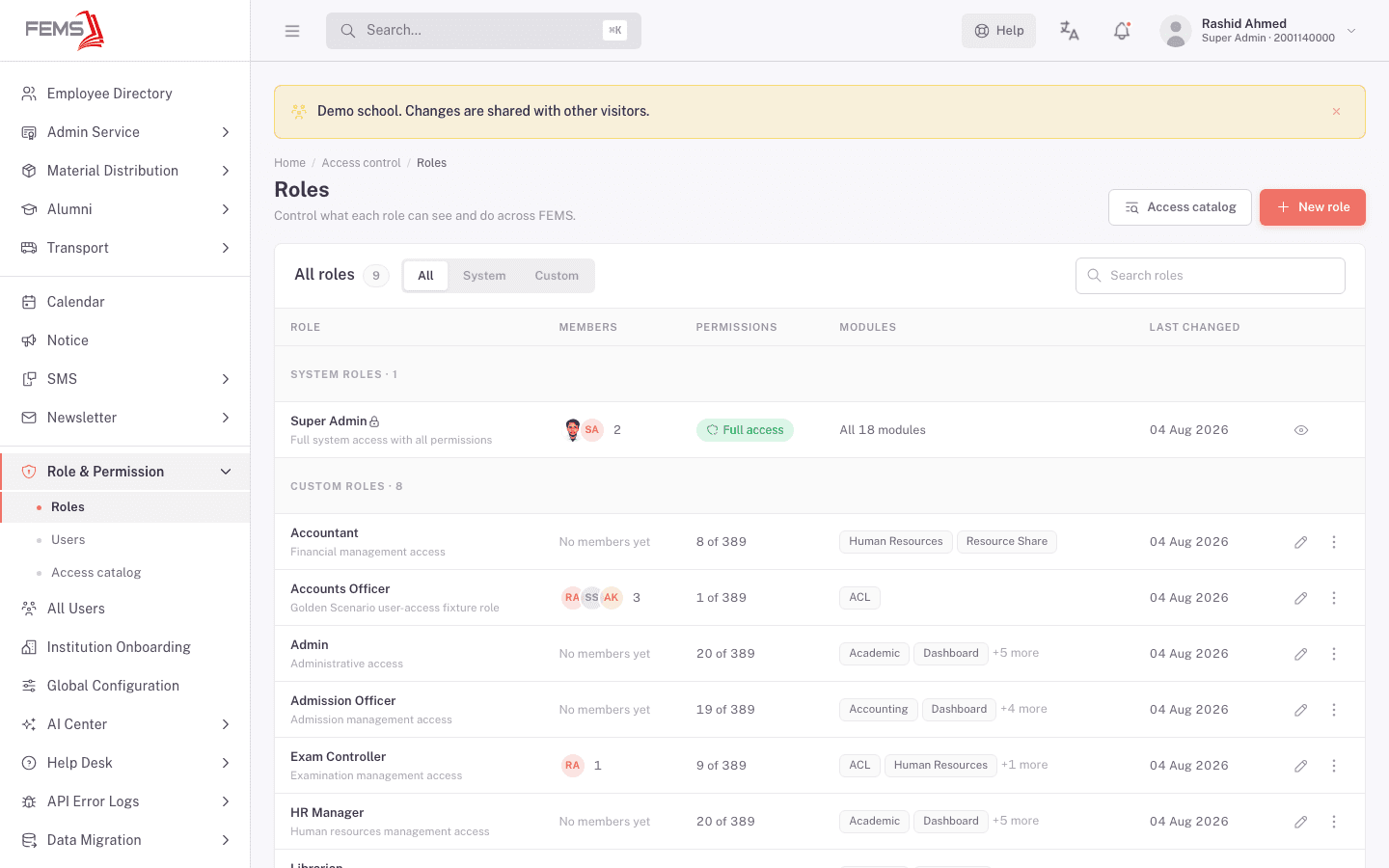
Super Admin. One role sits above the rest. A Super Admin can see and do everything in the institution's catalog, no individual permission check needed. FEMS also protects this role directly: you can't delete or edit the built-in Super Admin role, and you can't remove its last remaining member (that would lock everyone out).
Direct grants (per-user overrides). Beyond roles, an individual person can get extra permissions added on top of their role, or have specific permissions blocked, independent of what their role normally allows. Each override can be temporary (set to expire on a date) and a blocked permission needs a reason recorded against it.
Data-access scope. Separate from what a person can do, data scope controls what rows of data they can see: which campuses and which classes. Two accountants can have identical permissions but see only their own campus's fee records, because of this scope setting, not because of a different role.
Putting it together. What a person can actually do is the combination of their role's permissions, plus any extra grants, minus any blocks, filtered further by their data scope. It's computed the same way for everyone, there's no separate "backdoor" role logic.
What's enforced today, and what isn't yet
This part matters, so read it carefully rather than assuming every permission you see in FEMS is already backed up on the server.
FEMS is partway through rolling out its permission system. Today:
- The Role & Permission screens themselves are fully enforced. If you're not allowed to manage roles or users, the server blocks you, not just the screen.
- Almost everywhere else, access is currently bounded by two things: being logged in, and (where it applies) your data scope. Most other modules don't yet have their permission checks turned on at the server level. FEMS hides menu items and buttons a role isn't supposed to use, but that's a display choice, not a security boundary, for those modules.
- This is a known, staged rollout, not an oversight left undocumented. The plan is to turn on server-side enforcement module by module (permissions first, then admissions, exams, accounting, HR, library, students) as each module's permission catalog gets filled in.
In practice, this means: don't rely on "the button isn't there for this role" as your only safeguard for sensitive data outside the Role & Permission screens themselves. If a workflow handles money, grades, or personal records and you're unsure whether it's enforced yet, treat it as a question for your Super Admin or FEMS support, not an assumption.
FAQ
If I hide a menu item from a role, is that person actually blocked from that data? Not necessarily, outside the Role & Permission screens. Hiding a button is a display choice. Full server-side enforcement is being rolled out module by module, so treat menu visibility as a convenience, not a guarantee, until your module is confirmed enforced.
Can one person be in more than one role? Yes. A person's effective permissions are the union of every role they're in, plus their own direct grants, minus any blocks.
What's the difference between a role and data scope? A role controls what a person can do (like "collect payments"). Data scope controls which records they can do it to (like "only this campus's students"). They work together, not instead of each other.
Why can't I delete the Super Admin role or remove its last member? FEMS blocks both on purpose, so an institution can never end up with nobody able to manage it.
Do date-limited grants expire automatically? Yes. A direct grant or role assignment with an end date stops applying on its own once that date passes, no manual cleanup needed.