Browsing the FEMS Knowledge Base
Find a guide by section or search the public FEMS documentation.
The FEMS Knowledge Base is the public documentation site for daily school work. Use its sections when you want to browse, or search when you already know the task or error message.
Prerequisites
None. The Knowledge Base is public. You only need to sign in to FEMS if you open it from the admin console.
Open the Knowledge Base
Use either route from the FEMS admin console:
- Go to Help Desk > Knowledge Base in the sidebar.
- Or click Help in the top bar, then click Open Knowledge Base.
The Knowledge Base is at docs.fems.education.
Browse by section
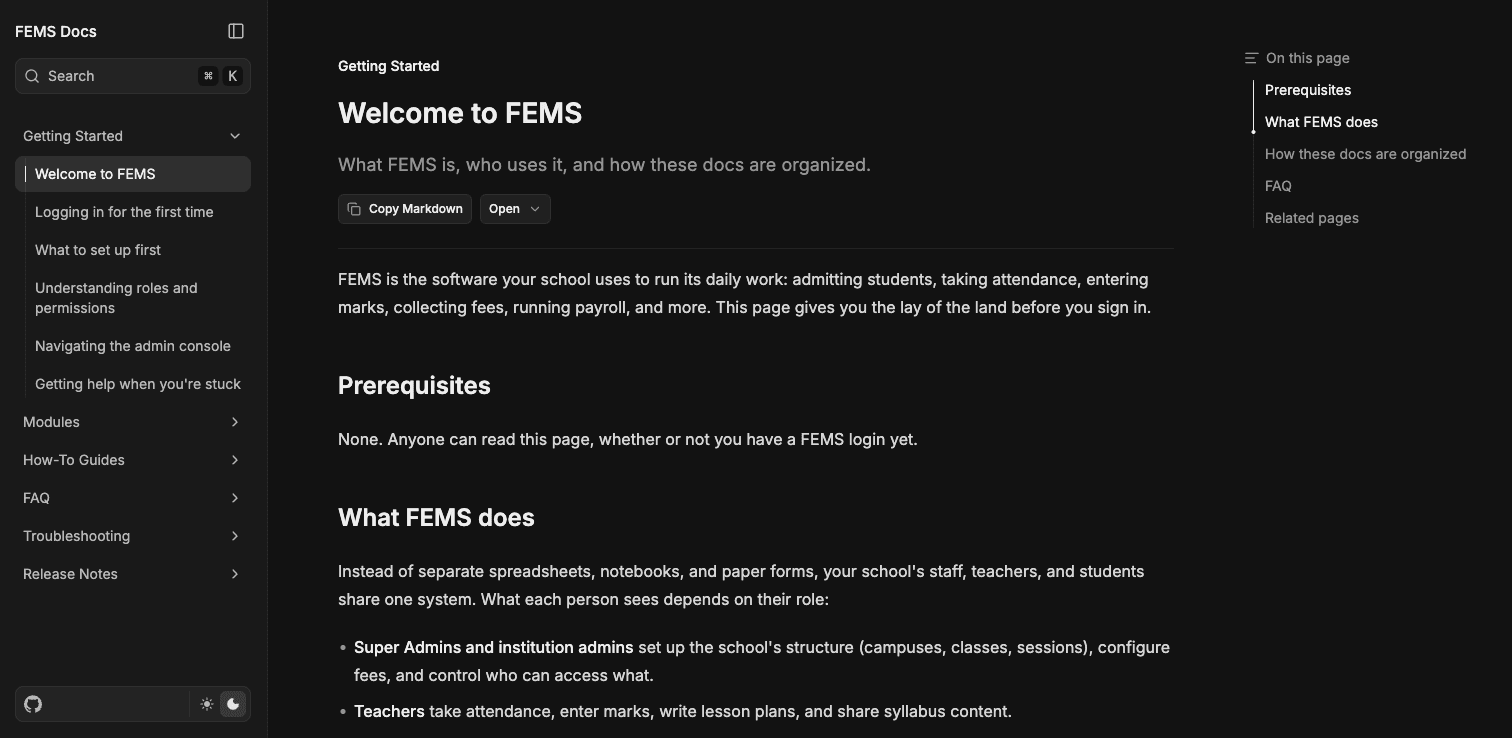
The left sidebar groups pages by the kind of help you need:
- Getting Started covers first login, setup, navigation, and access.
- Modules explains each working area in FEMS.
- How-To Guides walks through tasks that cross more than one module.
- FAQ collects common questions.
- Troubleshooting helps you diagnose common problems.
- Release Notes records changes to FEMS.
Click a section to expand it, then click a page title. The current page is highlighted in the sidebar. Use On this page on the right to jump to a heading in a long article.
Search for an answer
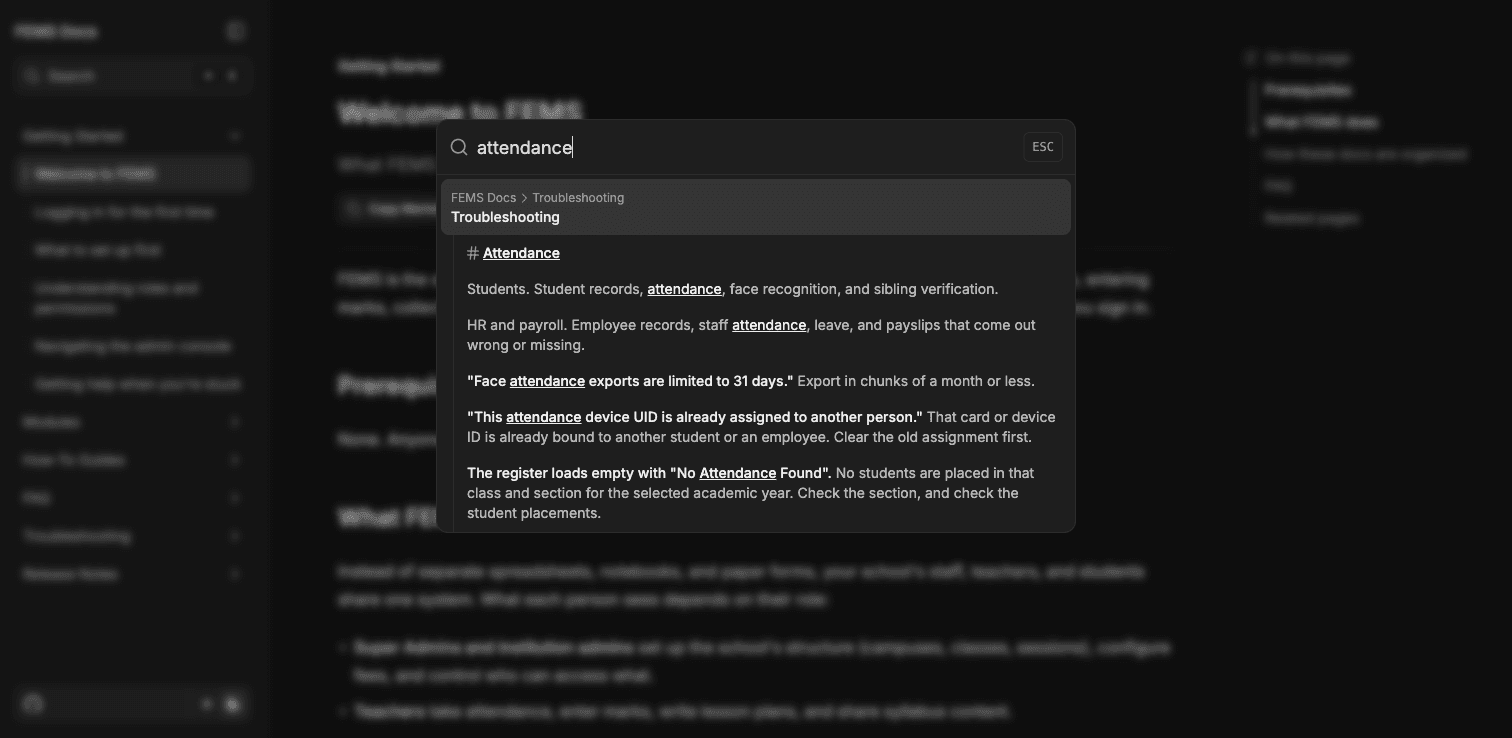
- Click Search at the top of the left sidebar. You can also press
Command + Kon macOS. - Enter a task, module, label, or error message. For example, search for
attendanceor paste the important words from an error. - Review the results. Each result shows the section and page where the match appears.
- Click the result that best matches your question.
FAQ
Do I need a FEMS login to read the Knowledge Base? No. The documentation site is public.
Should I browse Modules or How-To Guides? Use Modules for one working area. Use How-To Guides for a task that moves through several modules.
What should I search for? Start with the task, screen label, or exact error message. Short, specific searches work best.
What if the docs do not answer my question? Return to FEMS and start a support conversation under Help Desk > Support Tickets.