Configuring add-on services and payment modes
Set up which paid extra services a school offers and how they can be paid for.
Admin Service lets your school charge for extra items beyond regular tuition, like a transcript or a duplicate mark sheet. Before front-desk staff can create a service request for a student, set up the delivery modes and services on this page.
Prerequisites
You need administrator access to reach this page.
What you'll find on this page
This page has two connected panels: Service Mode Config, where you define delivery speeds and their base fee, and Service Config, where you define the paid services themselves and which delivery modes each one offers.
Setting up service modes
A service mode is a delivery speed, like "Same Day" or "Express," with its own delivery estimate and base fee. The Working Days field counts calendar days, including weekends and holidays, when calculating a request's delivery date. Set up modes first, since a service can't reference a mode that doesn't exist yet.
- Open Admin Service > Service Config.
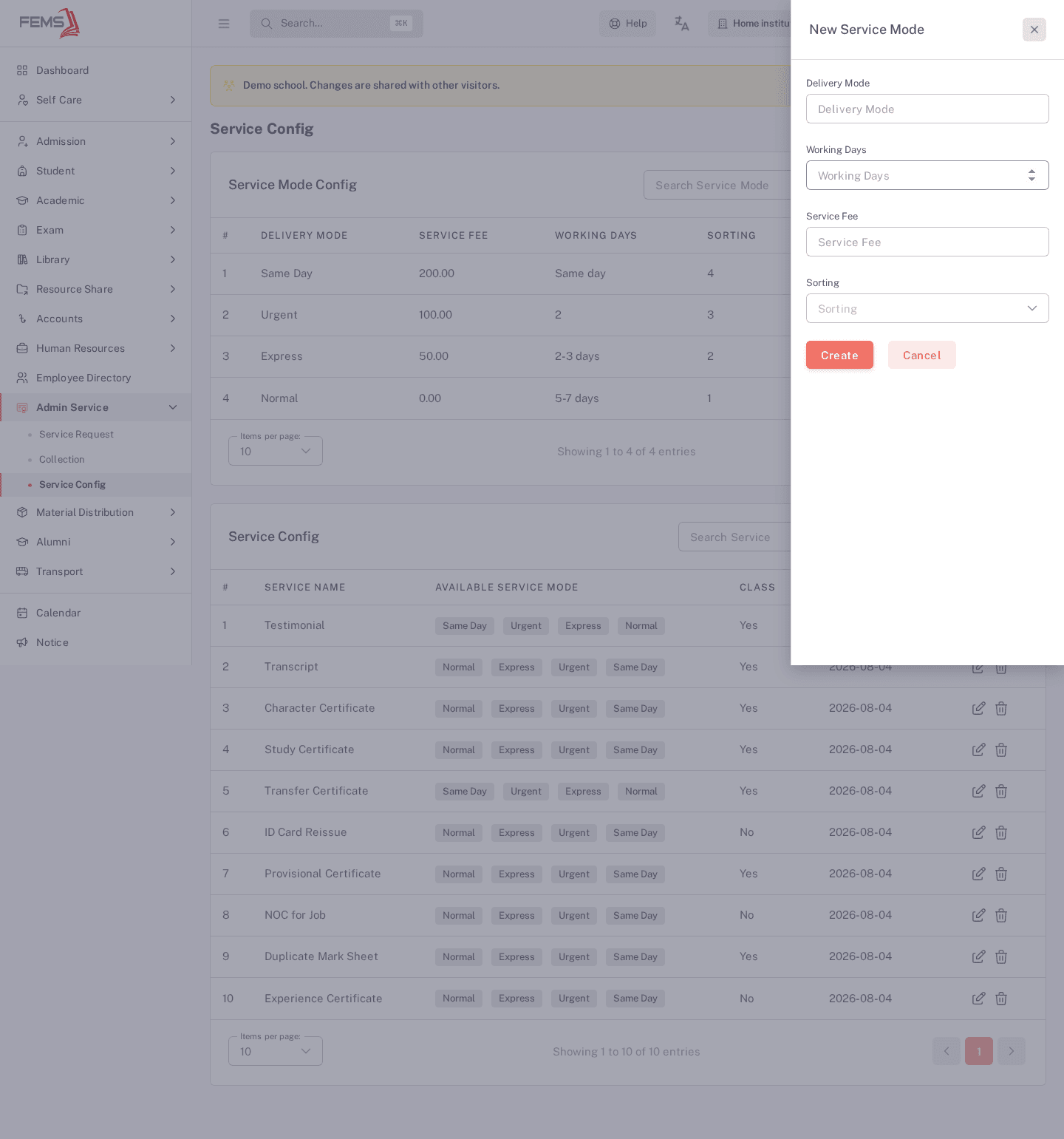
- In the Service Mode Config panel, click New Service Mode.
- Enter a Delivery Mode name.
- Enter Working Days and a Service Fee.
- Choose a Sorting order (1 to 5) to control display order.
- Click Create.
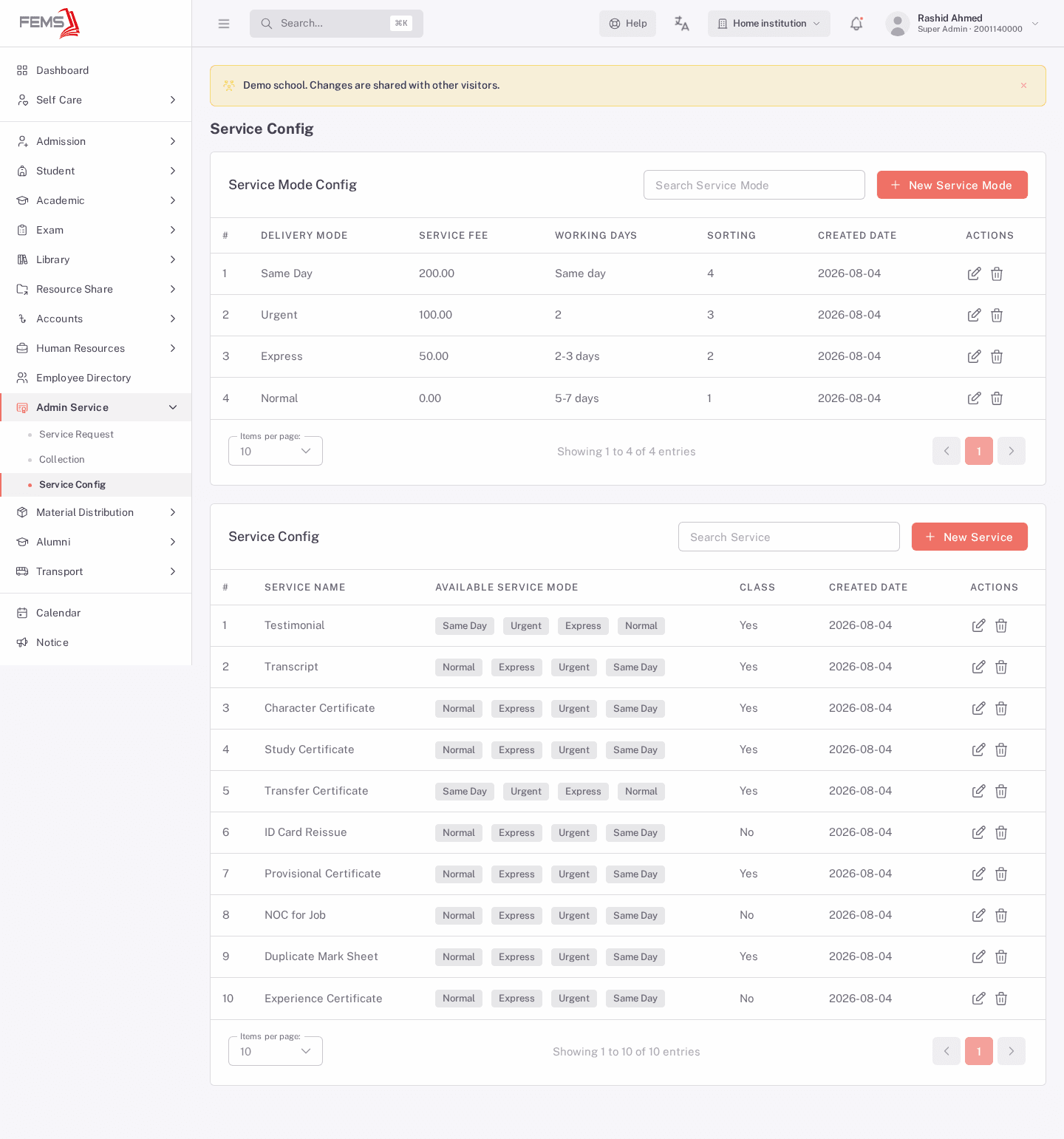
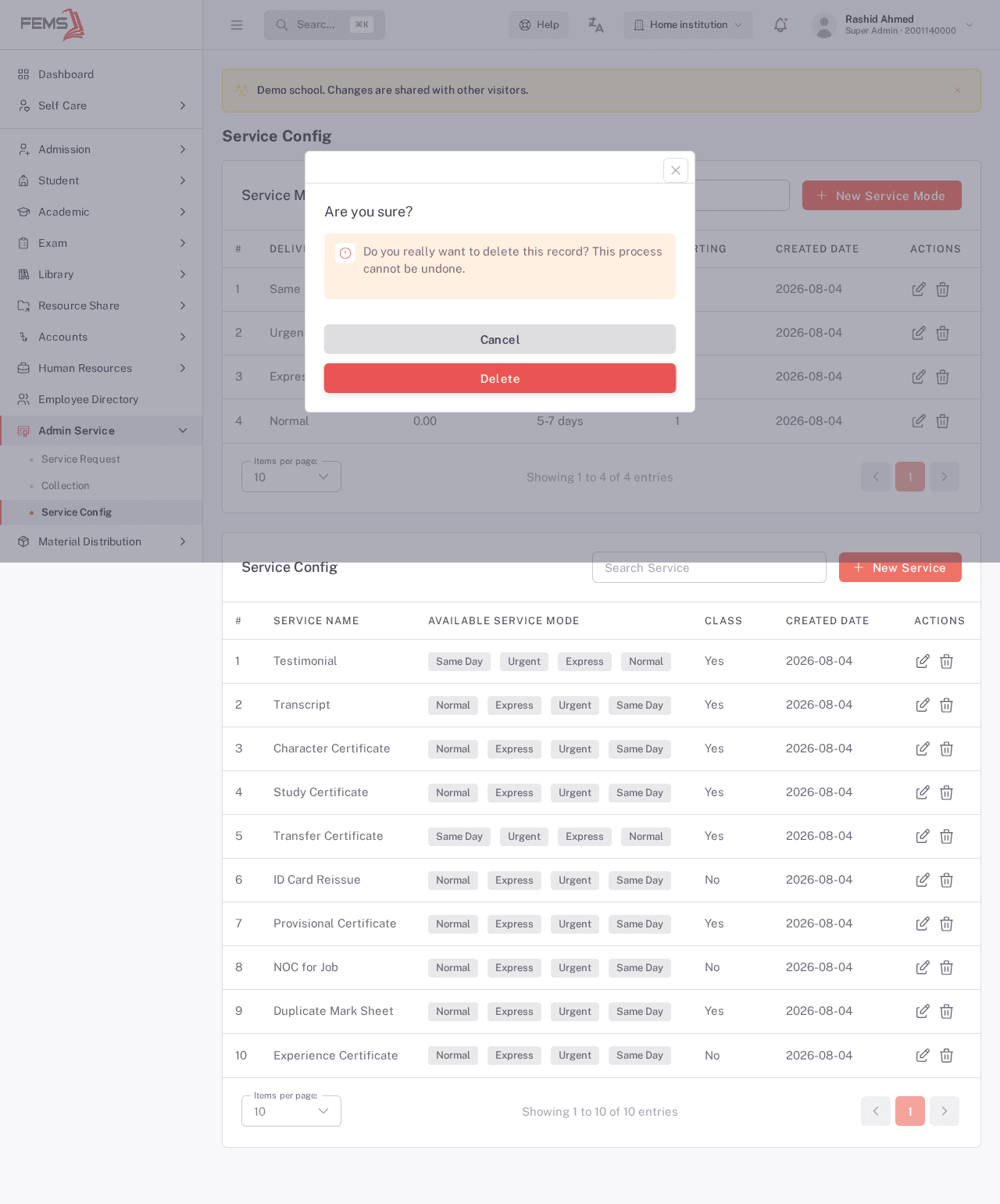
To change a mode later, use the edit icon in its row; to remove one, use the delete icon and confirm.
Setting up services
A service is the paid item itself, like "Transcript" or "ID Card Reissue." Each service can offer one or more of the delivery modes you set up above, and you can override a mode's base fee for that specific service.
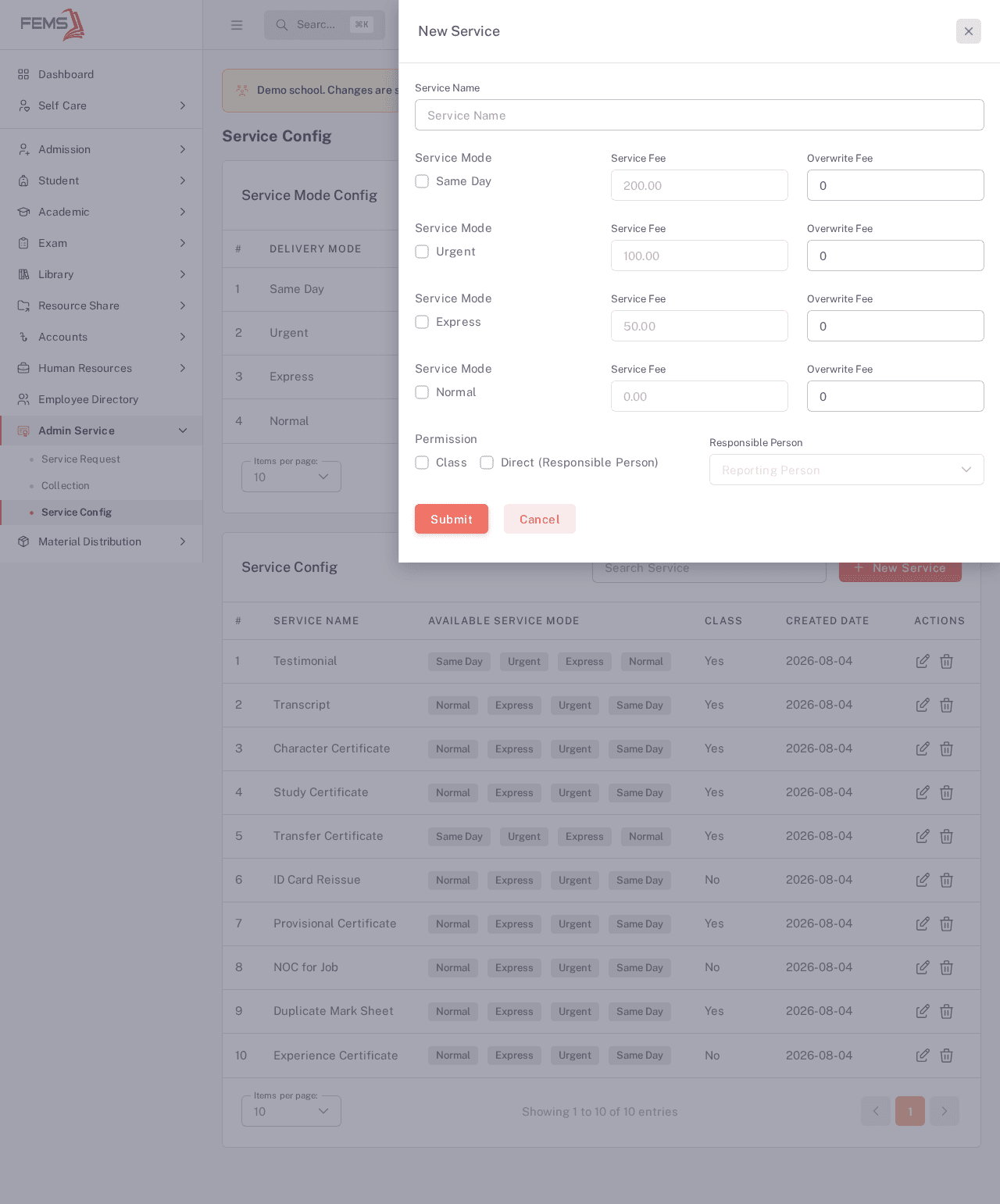
- In the Service Config panel, click New Service.
- Enter a Service Name.
- Tick each Service Mode this service should offer, and optionally set an Overwrite Fee if this service charges differently than the mode's base fee.
- Under Permission, tick Class if the service applies at the class level, or Direct (Responsible Person) and choose a Responsible Person if a specific employee should handle requests for it.
- Click Submit.
Use the edit icon in a row to change a service later, or the delete icon to remove it. Deleting either a mode or a service asks you to confirm first, since it can't be undone.
FAQ
Do I need to set up a service mode before creating a service? Yes. A service's mode checklist is built from what you add in Service Mode Config, so create at least one mode before adding a service.
What does "Overwrite Fee" do? It lets one service charge a different amount for a mode than that mode's own base fee. Leave it at 0 to use the mode's base fee.
What's the difference between "Class" and "Direct (Responsible Person)"? Class applies the service at the class level. Direct routes requests to one named employee, chosen in the Responsible Person field once you tick it.
Can I delete a service mode that's already used by a service? This hasn't been confirmed live yet. Check with your administrator before deleting a mode that other services depend on, rather than assuming it's safe.
Who can reach this page? Administrator access is required today.